
More AI Image Generators
Explore our collection of specialized AI image generators designed for different creative needs and styles





















Ghost Mannequin Generator for Clean Product Photos
With the Ghost Mannequin Generator, upload a garment, shoe, or accessory photo and turn it into a polished white-background product image in one click.
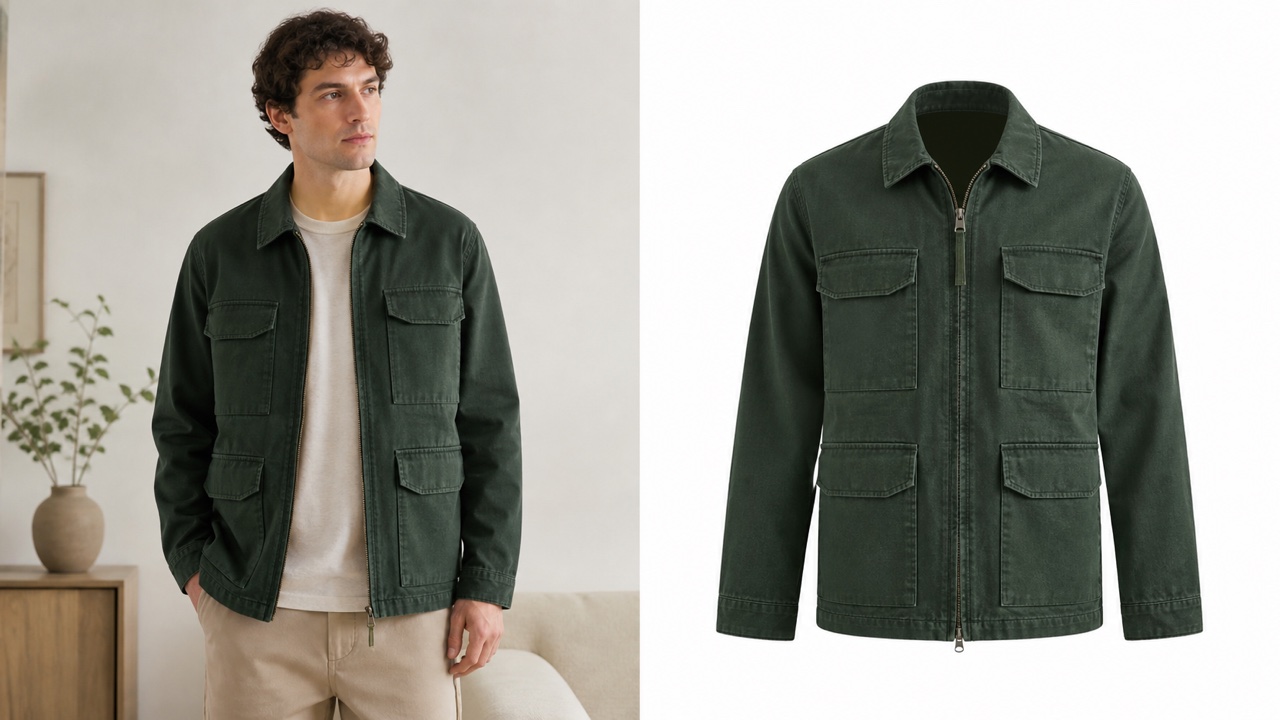
The Ghost Mannequin Generator isolates your product, removes distracting people or supports, and rebuilds a display shape. Create consistent invisible mannequin visuals that keep fabric, structure, and selling details in focus.
How the Ghost Mannequin Generator Works
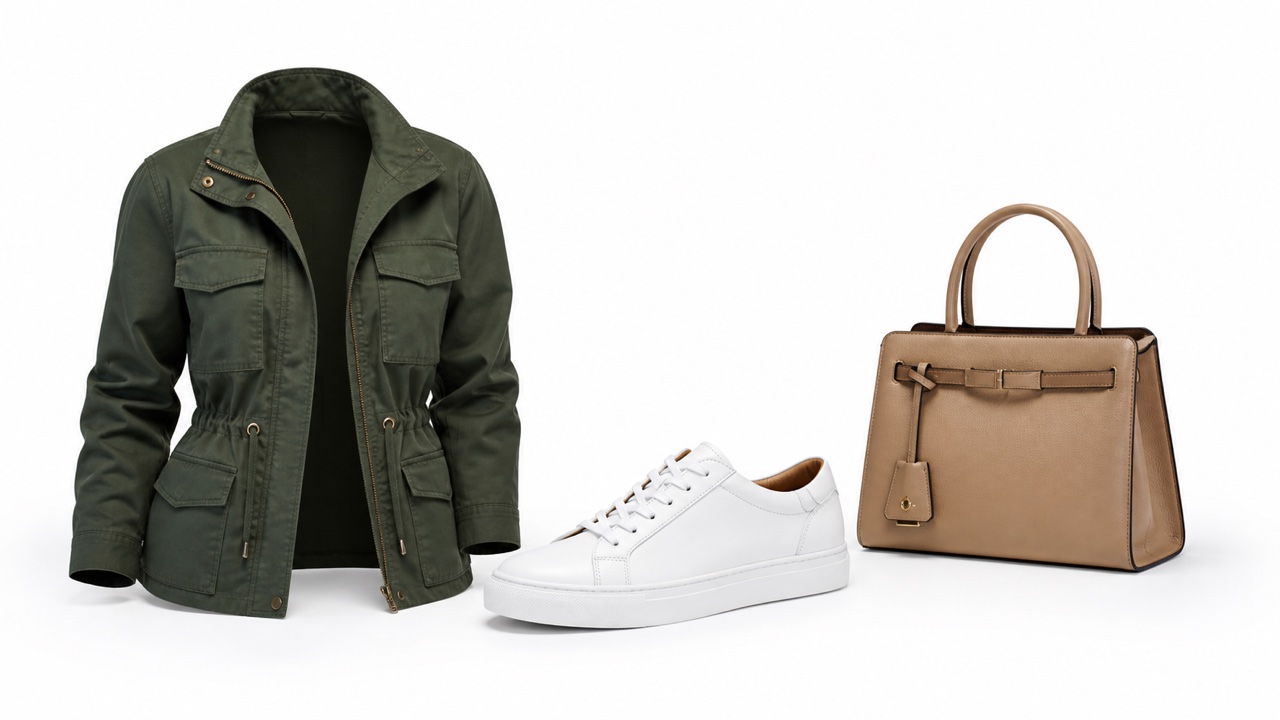
The Ghost Mannequin Generator turns an ordinary product photo into focused ecommerce imagery through a simple upload-and-generate workflow. It identifies the item, separates it from the original scene, creates an invisible mannequin presentation, and places the result on a clean white background without a studio retouching session.

Upload One Product Photo
Choose a clear photo of clothing, footwear, a bag, a hat, or another fashion accessory. The Ghost Mannequin Generator can work from a flat lay, hanger image, mannequin shot, or model-worn photo. A sharp source with visible edges helps the invisible mannequin process preserve seams, closures, surface texture, silhouette, and recognizable product details. The Ghost Mannequin Generator benefits from an unobstructed view.

Let AI Extract the Item
Click generate and let the Ghost Mannequin Generator locate the sellable item automatically. It removes the original background, person, hanger, or physical display while separating the product from nearby objects. The invisible mannequin reconstruction fills hidden neckline or interior areas when appropriate, so the result looks intentional rather than simply cut away from its source. The Ghost Mannequin Generator completes this focused transformation automatically.

Build a Natural Display Shape
The Ghost Mannequin Generator gives apparel a structured, dimensional appearance and presents shoes or accessories with balanced product-focused positioning. Instead of flattening every item, the invisible mannequin effect retains believable volume, drape, openings, and contours. The Ghost Mannequin Generator aims to keep color, material, stitching, hardware, logos, and proportions recognizable throughout the transformation.

Review the White-Background Result
Inspect the finished image before using it in a shop, catalog, or campaign. The Ghost Mannequin Generator places the isolated item against white for a clean, consistent presentation. Check fine straps, laces, translucent fabric, reflective hardware, printed text, and inner edges. The Ghost Mannequin Generator supports close comparison with the source. If a critical detail changes, run the Ghost Mannequin Generator again with a clearer source.
Best AI Image Tools for Creative Projects
Explore creative tools for image, learn tips and tricks, and see how AI can be your assistant in turning concepts into finished projects.








Turn Everyday Fashion Photos into Store-Ready Assets
A useful Ghost Mannequin Generator does more than erase a background. The Ghost Mannequin Generator must decide what belongs to the product, reconstruct parts hidden by a model or support, and present the item with enough form to help shoppers understand it. This workflow combines hollow-product styling with a neutral white backdrop for clear catalog-ready results.
Extract Clothing Without Losing Its Character
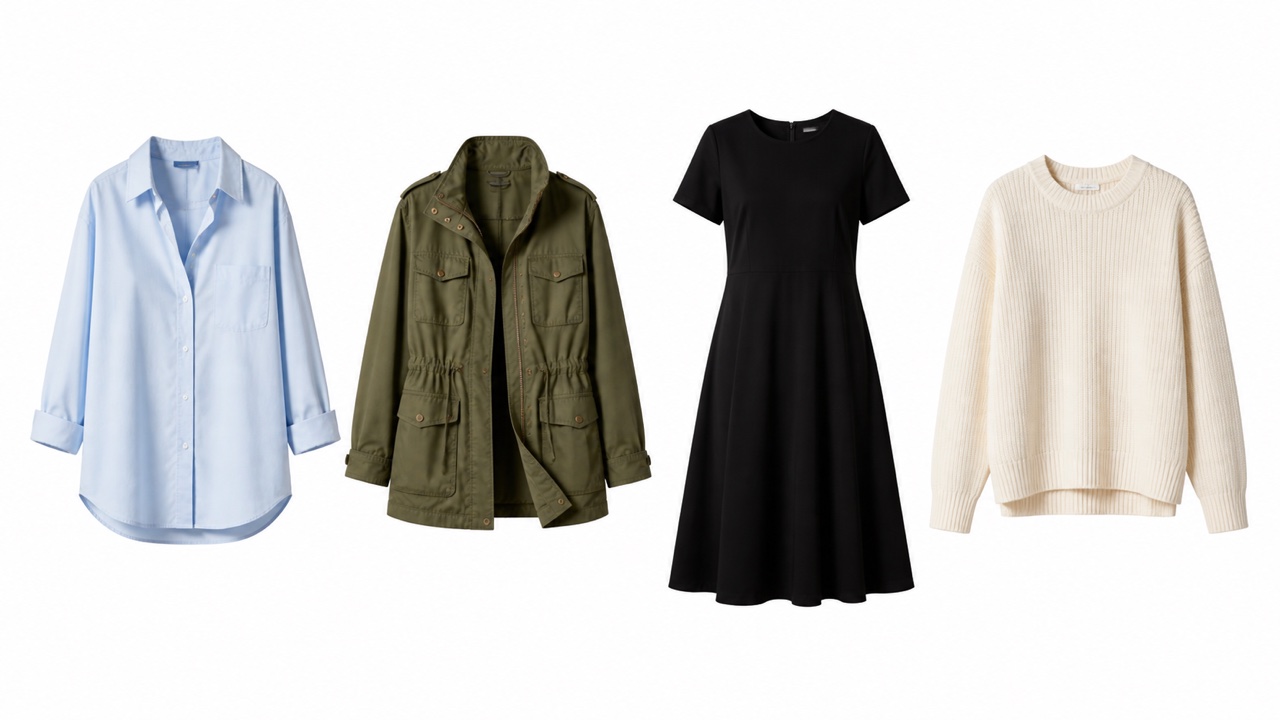
Use the Ghost Mannequin Generator to separate shirts, jackets, dresses, knitwear, trousers, and other garments from messy surroundings. The Ghost Mannequin Generator looks for garment boundaries while maintaining the features that make one SKU different from another: collar shape, sleeve length, waist construction, hems, pockets, pleats, prints, and stitching. Its invisible mannequin treatment adds controlled volume and reconstructs hidden inner areas where possible. The Ghost Mannequin Generator keeps the final frame quiet on white, so fabric, cut, and craftsmanship carry the visual. A supplier photo or phone capture can become a deliberate product listing image. The Ghost Mannequin Generator creates that cleaner route without a reshoot.
Present Shoes and Accessories with Equal Clarity
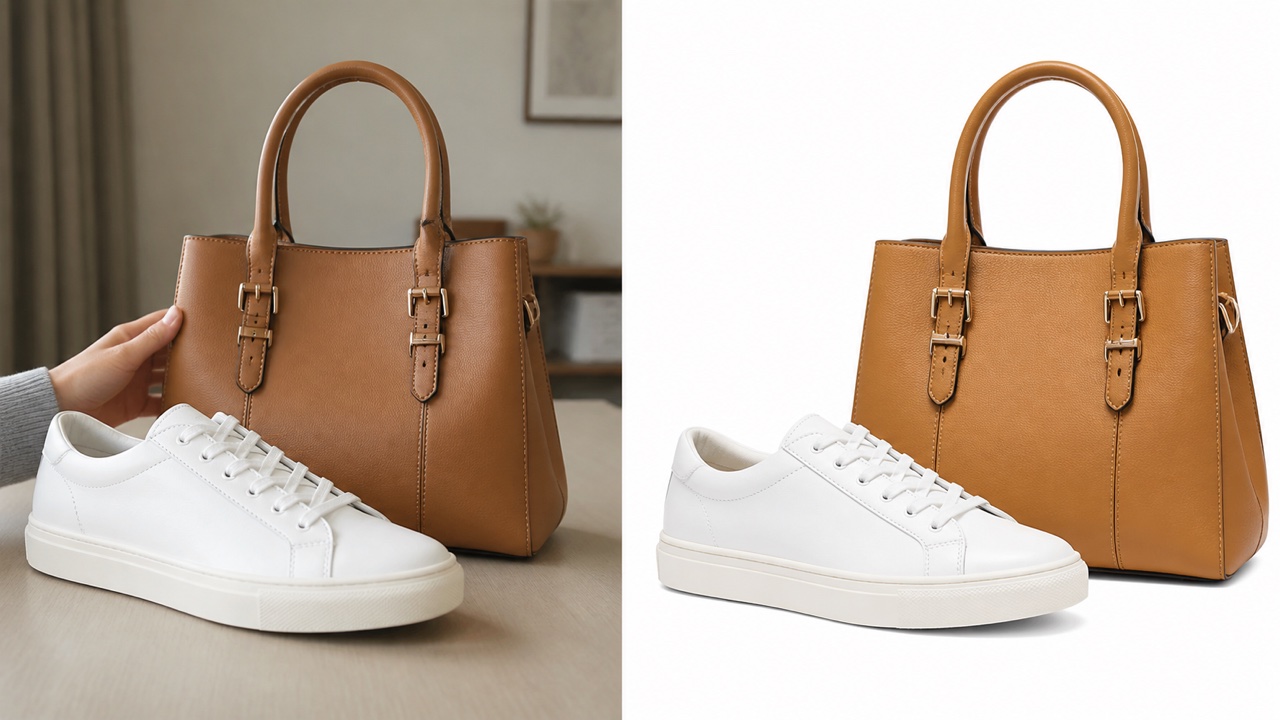
The Ghost Mannequin Generator is not limited to tops and dresses. Upload sneakers, boots, handbags, hats, belts, scarves, jewelry, or small fashion accessories when you need a distraction-free product frame. The Ghost Mannequin Generator isolates the item, keeps a believable orientation, and uses restrained shadows to prevent it from looking pasted onto the canvas. For products that do not require a hollow torso, the invisible mannequin idea becomes product-first staging: no hand, model, stand, or room competes for attention. The Ghost Mannequin Generator centers the sellable object with a balanced crop. Review laces, buckles, chains, embroidery, reflective surfaces, and branding closely before adding the image to a listing. The Ghost Mannequin Generator works best when those details are clear in the upload.
Standardize a Catalog on White
A mixed catalog can feel inconsistent when every supplier uses different rooms, models, hangers, and lighting. The Ghost Mannequin Generator gives those sources a common visual direction by isolating the product and placing it on white. Repeating the Ghost Mannequin Generator across a collection can make category pages easier to scan and help buyers compare color, silhouette, and detailing without unrelated scenery. Invisible mannequin presentation is particularly effective for apparel because the shape remains dimensional while the wearer disappears. The Ghost Mannequin Generator works as a repeatable visual standard. Keep the source angle and crop similar across related products to support a more uniform product grid. The Ghost Mannequin Generator then produces a more cohesive series.
Create More Product Imagery Without a Reshoot
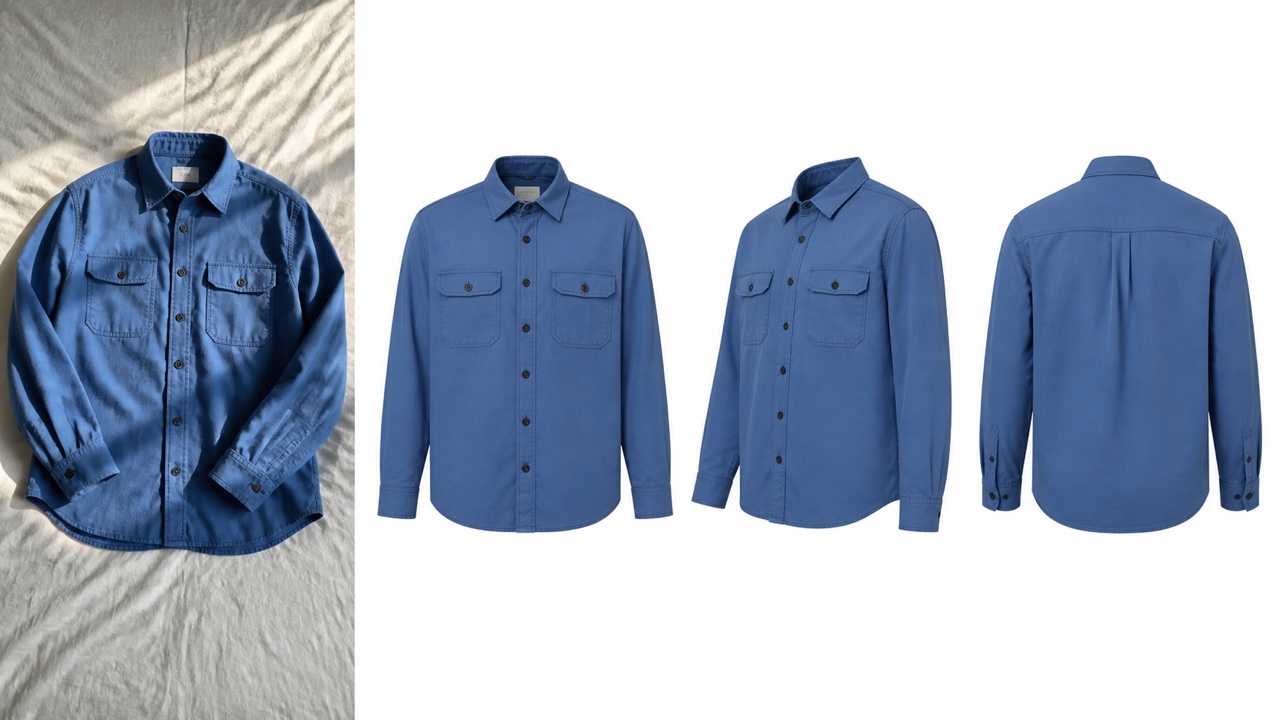
When a collection changes quickly, organizing another mannequin setup, model booking, and retouching round may delay publication. The Ghost Mannequin Generator turns an image you already have into a focused white-background alternative. The Ghost Mannequin Generator can help small shops test new arrivals, prepare wholesale lines, refresh marketplace thumbnails, or fill gaps in a product detail page. Mannequin-free output does not replace careful photography for every premium campaign, but it creates a practical presentation option when speed and consistency matter. The Ghost Mannequin Generator reduces the need to rebuild a basic studio scene. Use the clearest available source and inspect every generated detail before commercial use. The Ghost Mannequin Generator should support, not replace, product review.
Who Can Use a Ghost Mannequin Generator
The Ghost Mannequin Generator supports sellers and creators who need product-focused fashion visuals without building a full studio workflow. The Ghost Mannequin Generator can serve one-off listings or recurring collections, while product-only images clarify shape, reduce visual clutter, and create a recognizable presentation system across channels.

Fashion Ecommerce Product Pages
Use the Ghost Mannequin Generator to create clear hero images for apparel product detail pages. A shopper can focus on neckline, sleeve, waist, drape, and construction without a model obscuring the garment. Pair the invisible mannequin image with close-ups and on-model views when available, giving buyers both product detail and wearing context. The Ghost Mannequin Generator is especially useful when the current primary image contains a distracting room or mismatched background. The Ghost Mannequin Generator creates a neutral first impression.

Marketplace and Reseller Listings
Marketplace sellers often work with phone photos, wholesaler assets, or one available sample. The Ghost Mannequin Generator can convert that source into a cleaner white-background image for a more orderly storefront. Invisible mannequin styling also makes clothing feel dimensional without tying the listing to one person. Check each platform's current image requirements separately, then crop or export the Ghost Mannequin Generator result to the accepted format. The Ghost Mannequin Generator does not guarantee marketplace compliance.

Wholesale Catalogs and Line Sheets
Use the Ghost Mannequin Generator when buyers need to compare many products quickly. A consistent background and product-centered composition keep a line sheet focused on assortment, color, fabric, and shape. Invisible mannequin images can give jackets, shirts, and dresses enough structure to read clearly at a glance. The Ghost Mannequin Generator helps transform uneven sample photos into a more coherent sales presentation before final orders are placed. The Ghost Mannequin Generator keeps each SKU visually centered.
Small Brands and Independent Designers
A small collection may not justify a separate studio setup for every color or late sample. The Ghost Mannequin Generator provides a flexible way to prepare a neutral product image from existing photography. Designers can use mannequin-free output for range reviews, launch previews, preorder pages, and internal approvals. The Ghost Mannequin Generator saves the creative campaign shoot for moments where a model, location, and story truly add value. The Ghost Mannequin Generator is a practical bridge between samples and final campaigns.
How Teams Could Use the Ghost Mannequin Generator
These fictional examples illustrate practical ways the Ghost Mannequin Generator can support fashion product workflows. The Ghost Mannequin Generator still deserves a human review for material, shape, labels, and small construction details before any result enters a live catalog.
The Ghost Mannequin Generator gives our mixed supplier photos a common starting point. I use the invisible mannequin result as the first catalog image, then add detail and lifestyle views underneath. It makes the collection easier to scan while preserving each garment's key silhouette.
For line-sheet drafts, the Ghost Mannequin Generator helps me turn quick sample captures into a cleaner review set. Invisible mannequin presentation removes distractions, so buyers discuss the product rather than the room, hanger, or model. I still verify color and construction before sending the final document.
I use the Ghost Mannequin Generator when a late accessory arrives after the main shoot. The tool creates a neutral product-first frame that fits beside the rest of the range. Although invisible mannequin styling is most familiar for apparel, the clean extraction also works well for bags and footwear.
The Ghost Mannequin Generator gives our social team a reusable white-background base. From there, we can build launch cards and collection grids without cutting the item out by hand. The invisible mannequin look keeps apparel dimensional, and I always zoom in to review prints, seams, and logos.



Ghost Mannequin Generator FAQ
Learn what the Ghost Mannequin Generator can process, how invisible mannequin reconstruction works, and what to check before using a generated white-background product image.
It is a product photo that shows a garment with natural three-dimensional form but no visible person or physical mannequin. The Ghost Mannequin Generator creates this invisible mannequin effect digitally, helping shoppers see structure, openings, drape, and construction without a wearer competing for attention.
You can upload clothing, shoes, bags, hats, belts, scarves, and many other fashion accessories. The Ghost Mannequin Generator works best when the product is sharp, well lit, and clearly separated from nearby objects. Fine chains, transparent materials, and complex overlaps may need extra review.
Yes. The Ghost Mannequin Generator can process flat lays, hanger photos, mannequin shots, and model-worn images. The invisible mannequin reconstruction depends on what the source reveals, so a clear front-facing photo with visible edges generally gives the tool better information about shape and hidden areas.
Yes, this workflow is designed to place the extracted product on a clean white background. The Ghost Mannequin Generator uses that neutral setting to keep attention on the item and support a consistent catalog look. You can use the result as a base for another design later.
It aims to preserve them, but generative edits can change small details. After the Ghost Mannequin Generator finishes, compare the result with the source and inspect logos, text, prints, seams, hardware, texture, color, and proportions. Generate again or use manual retouching if a critical selling detail drifts.
No. Upload one image and generate the result through the guided interface. The Ghost Mannequin Generator handles extraction, invisible mannequin presentation, and white-background staging automatically. Good source photography still matters, and professional retouching may remain useful for exacting luxury, print, or high-volume catalog standards.
Yes, provided you have the right to use the source image and approve the result. Review the Ghost Mannequin Generator output for accuracy, then check your marketplace's latest background, crop, resolution, and content rules. Do not present reconstructed details as exact if the source did not show them.
Use a sharp, evenly lit image with the full product visible and minimal overlap. Center the item, avoid motion blur, and keep hands or props away from important edges. The Ghost Mannequin Generator has more reliable information when collars, sleeves, soles, straps, and openings are easy to distinguish.
Create a Clean Product Image from the Photo You Have
Upload one clothing, shoe, or accessory photo and let the Ghost Mannequin Generator isolate the product, build a natural invisible mannequin presentation, and place it on white. Review the details, then use the polished result in your next catalog or listing.
