
More AI Image Generators
Explore our collection of specialized AI image generators designed for different creative needs and styles





















Square Face Icon Generator for Anime Profile Art
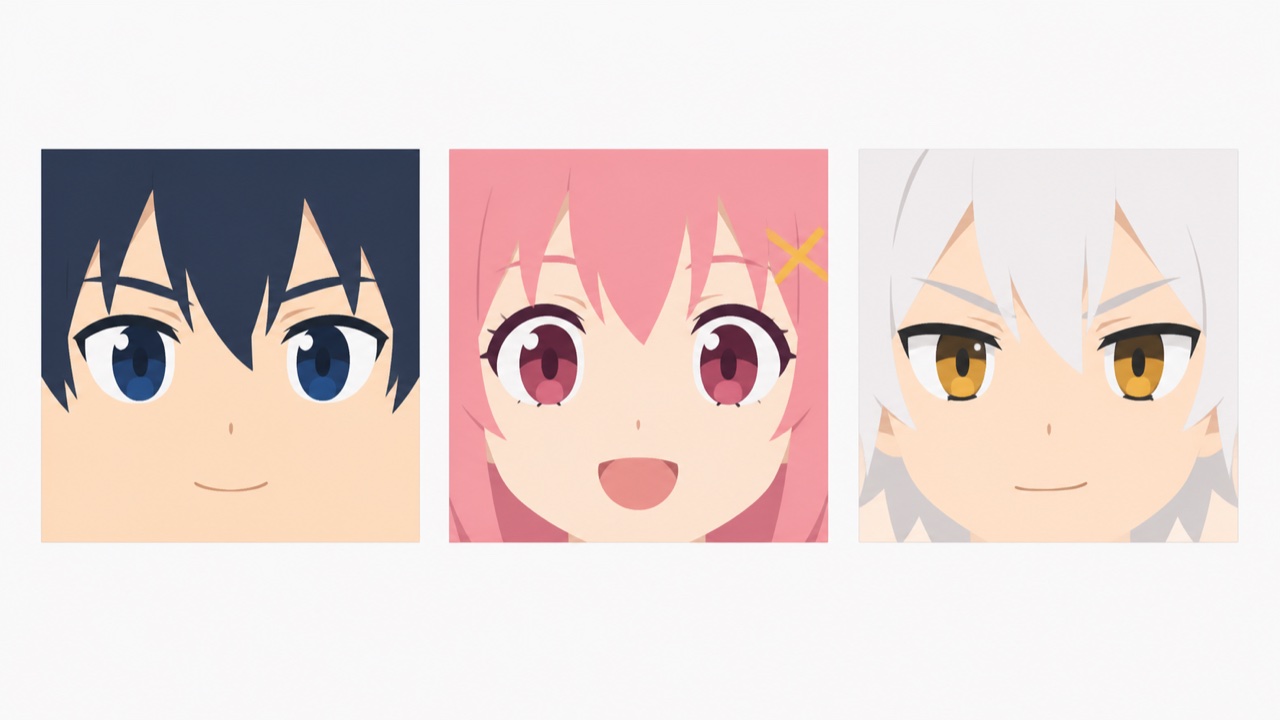
Upload one portrait and use the Square Face Icon Generator to turn a recognizable face into a clean, flat-art square character for profiles, communities, and creative projects.
The Square Face Icon Generator creates a close-up anime-inspired face with solid colors, a square silhouette, and no distracting background. The Square Face Icon Generator keeps the subject recognizable while giving every profile image a playful, consistent visual identity.
How the Square Face Icon Generator Works
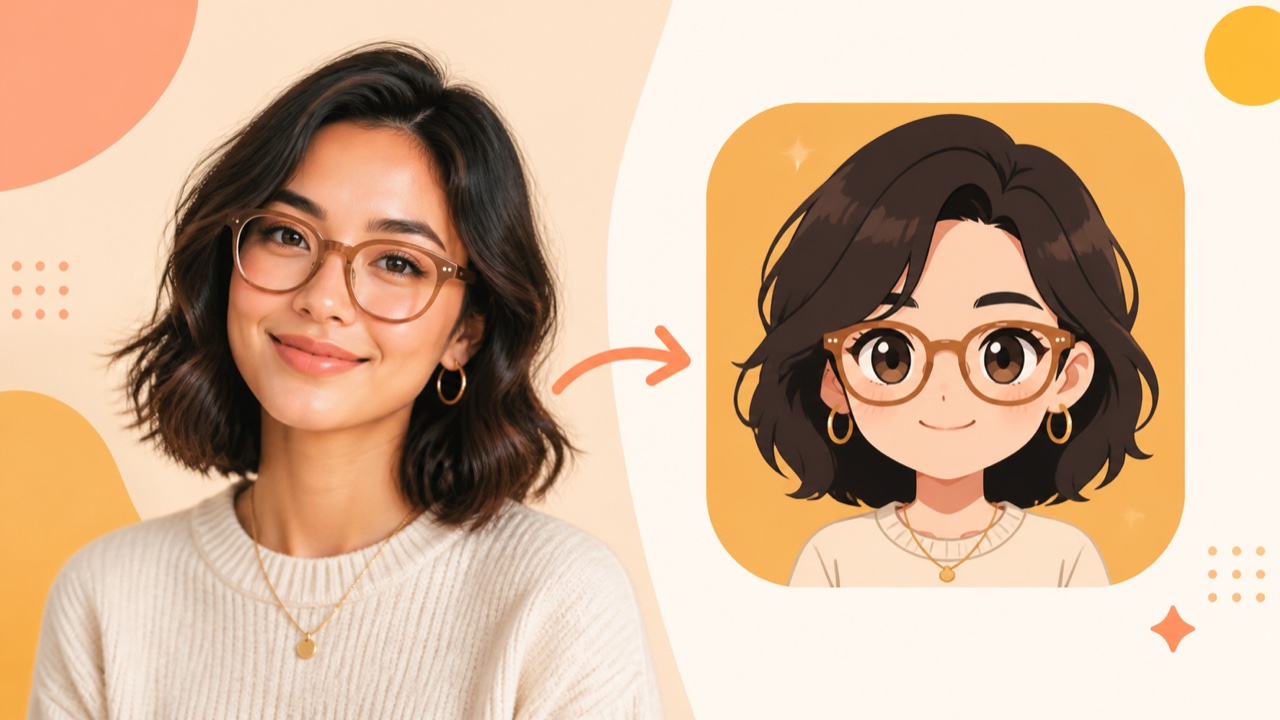
The Square Face Icon Generator turns a clear portrait into a minimalist character in a short upload-and-generate workflow. Unlike a manual square avatar maker, the Square Face Generator interprets facial cues, simplifies them into solid-color shapes, and fills the frame with a compact square face.

Upload a Clear Face Photo
Choose a front-facing or slightly angled portrait with the eyes, hairline, and jaw visible. The Square Face Icon Generator uses those details to guide the new character, so even lighting and a single unobstructed subject help. The Square Face Icon Generator rewards a close crop. A close crop gives the Square Face Icon Generator clearer information than a distant group photo. For a square face icon generator from photo workflow, avoid heavy blur, face-covering hands, and extreme shadows.

Set Square Face Generator Output Options
Select 1:1 for the image size so the result matches the square composition. Choose the resolution and number of images you want, then set Public Visibility to your preference. The Square Face Icon Generator applies the complete style instructions automatically; there is no prompt field to fill in. The Square Face Generator uses the uploaded portrait as its reference, while the Square Face Icon Generator handles the close crop, flat colors, square face shape, and background-free look.

Generate with the Square Face Icon Generator
After confirming the upload and output settings, click Generate Image. The Square Face Icon Generator reduces the portrait into clean two-dimensional shapes while the face fills the square and the design avoids gradients or scenery. The Square Face Generator emphasizes recognizable hair, eyes, brows, mouth, and accessories without copying photographic texture. The Square Face Icon Generator prioritizes icon clarity. The result feels like a purpose-made square profile picture rather than a filtered selfie.

Review Your Square Face Icon Generator Result
When generation finishes, open the result in My Images and compare it with the source. Check whether the key expression, hairstyle, skin tone, and accessories still read clearly. The Square Face Icon Generator may interpret fine details differently, so generate again when a defining feature is lost. The Square Face Generator is most useful when the final square stays recognizable at small size. The Square Face Icon Generator supports quick iteration. Download the strongest version for a profile, team icon, game identity, or community avatar.
Best AI Image Tools for Creative Projects
Explore creative tools for image, learn tips and tricks, and see how AI can be your assistant in turning concepts into finished projects.








Square Face Icon Generator for Bold Character Art
A useful Square Face Icon Generator does more than crop a selfie. It decides which facial details carry identity, rebuilds them as simple vector-like forms, and gives the whole composition a deliberately square personality. The Square Face Generator offers a fast alternative to assembling facial parts by hand in a conventional square avatar maker.
Preserve the Details People Recognize
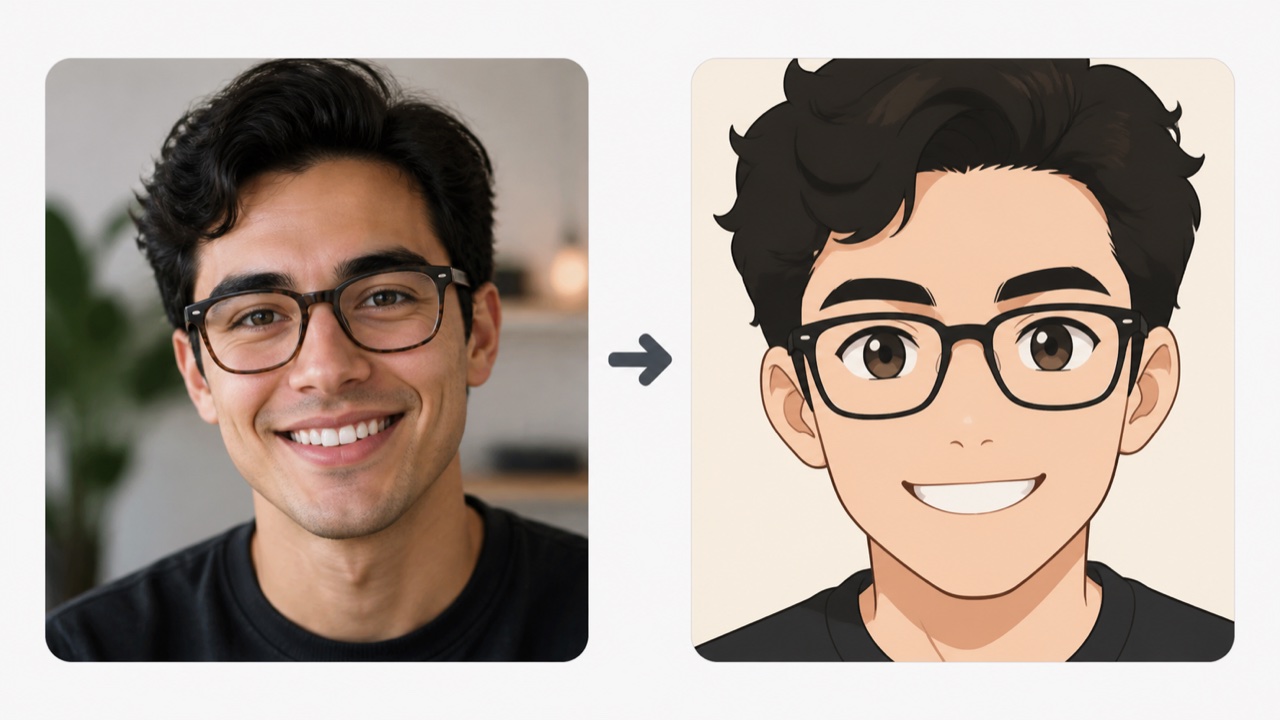
The Square Face Icon Generator looks for the features that make a portrait feel personal: hair shape, fringe, eye spacing, brow angle, glasses, facial hair, and expression. It translates those cues into a clean anime square face icon instead of retaining camera noise or skin texture. The Square Face Generator simplifies without requiring you to pick every eye, nose, and mouth from a menu. The Square Face Icon Generator keeps signature details visible. The Square Face Icon Generator gives the image a distinct illustrated identity. Review the result before using it as an official profile. The Square Face Icon Generator supports creative likeness, not biometric matching, so subtle traits may vary between generations.
Build a True Square Face Composition
The Square Face Icon Generator is designed around the face itself, not a portrait floating inside a decorative frame. The character fills the square with skin color, creating the block-like silhouette people expect. The Square Face Generator keeps the close-up readable when platforms display it as a tiny thumbnail or rounded profile mask. The Square Face Icon Generator centers the composition automatically. The Square Face Icon Generator reduces empty space around the head. This supports a square profile picture generator workflow where the icon must remain clear in chat lists, member grids, game rosters, and comment threads. The Square Face Icon Generator makes the shape part of the character rather than an afterthought.
Keep Square Face Generator Style Consistent
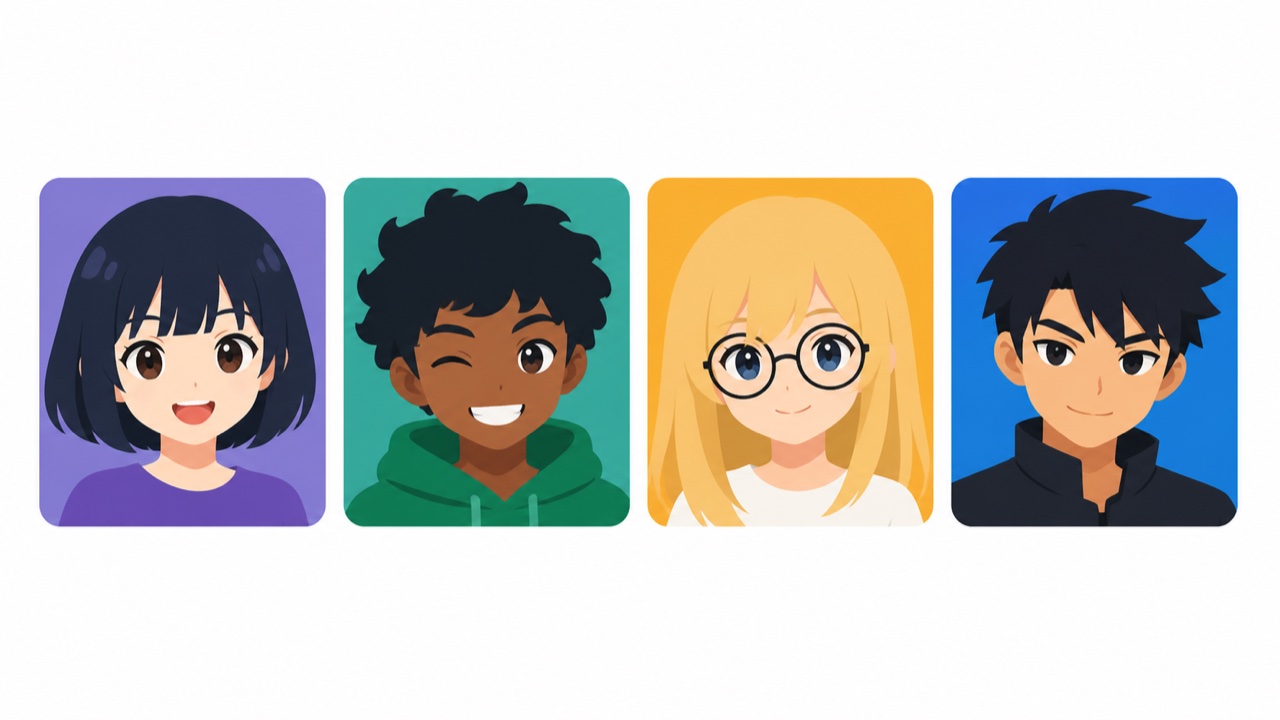
The Square Face Icon Generator uses solid colors and a flat two-dimensional treatment, helping hair, eyes, skin, and accessories read as one coherent illustration. There are no gradients, realistic scenery, or unnecessary effects competing with the face. The Square Face Generator produces a cleaner identity than unrelated photo filters when teammates or community members need connected icons. The Square Face Icon Generator standardizes the visual language. The Square Face Icon Generator still lets individual faces differ. The square avatar maker workflow is not a manual vector editor, but its simplified output captures the crisp quality associated with minimalist character art.
Create a Profile Asset Without Drawing
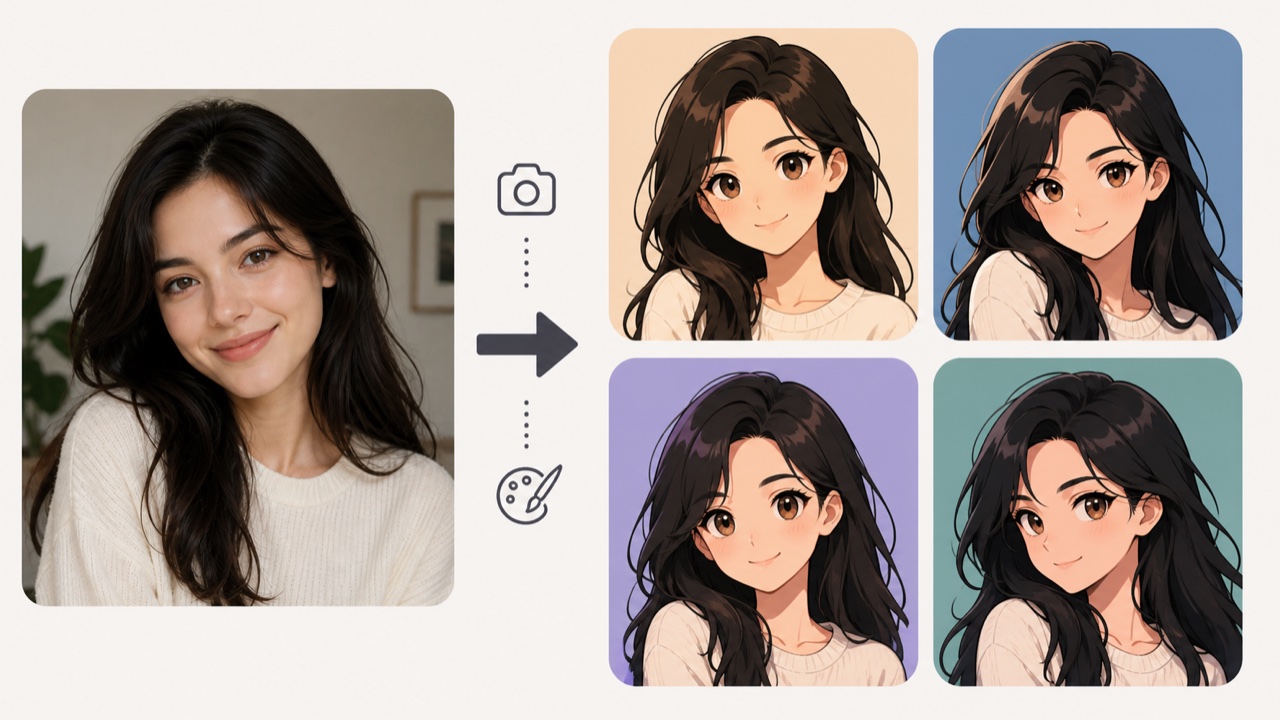
The Square Face Icon Generator removes the need to sketch a character, trace a photograph, or learn complex illustration software for one small profile asset. Upload, generate, review, and choose the strongest result. The Square Face Generator lets creators test several interpretations without rebuilding every layer. The Square Face Icon Generator makes that quick loop practical. The Square Face Icon Generator suits channels, gaming identities, private communities, and team directories. For exact brand geometry or production-ready vector paths, refine the chosen image later with a designer. For everyday profile use, the Square Face Icon Generator delivers a focused starting point that feels intentional, compact, and personal.
Square Face Icon Generator Use Cases
The Square Face Icon Generator creates a compact identity asset for places where a full photograph feels too detailed or inconsistent. The Square Face Generator keeps the face readable in small interfaces. The Square Face Icon Generator adds warmth, personality, and a shared visual language through anime-inspired styling.

Social Profiles and Creator Channels
Use the Square Face Icon Generator for a recognizable avatar on video channels, social accounts, newsletters, or creator communities. The Square Face Icon Generator keeps bold color shapes legible beside posts and comments. Square Face Icon Generator results can feel more distinctive than a generic initial while revealing less photographic detail than the source. Keep the same icon across platforms so followers recognize the profile quickly.

Gaming and Community Identities
The Square Face Icon Generator can turn a selfie into a playful identity for guilds, servers, forums, streams, and game rosters. The Square Face Icon Generator anime style works naturally beside illustrated badges and character art. Use the Square Face Generator to coordinate friends while letting each person's hair, expression, or accessories remain different. Review platform rules and avoid implying affiliation with a game or franchise.

Square Face Generator Team Profiles
A team can use the Square Face Icon Generator to give directory portraits a common visual treatment without scheduling a formal photo session. The Square Face Generator reduces differences in camera background and lighting. The Square Face Icon Generator rebuilds each face in the same minimalist style. Ask every participant for permission, and label fictional or AI-created identities clearly when they are not real employees.
Square Face Generator Role-Play
Writers, tabletop groups, and role-play communities can use the Square Face Icon Generator to develop a compact portrait from a suitable reference person or original concept photo. A Square Face Generator output can anchor a character sheet, dialogue card, or cast list. The Square Face Icon Generator keeps a large ensemble visually consistent while hair, color, expression, and accessories separate one role from another.
Square Face Icon Generator Stories and Results
These fictional examples show how different people could use the Square Face Icon Generator. Generated illustrations should always be reviewed for likeness, appropriateness, and rights before they are shared publicly or used to represent another person.
The Square Face Icon Generator gave my channel a friendly avatar without turning my photo into a busy painting. The Square Face Icon Generator keeps the hair and glasses recognizable, while the Square Face Generator style stays readable beside comments. I tested two versions, then chose the expression that matched my videos best.
Our private game group wanted matching portraits without identical characters. The Square Face Icon Generator kept the same flat-art language across everyone. The Square Face Icon Generator preserved different hairstyles and expressions, while the Square Face Generator style connected the grid. Each player can still spot their own icon immediately.
I used the Square Face Icon Generator to prototype portraits for a cast list. The Square Face Icon Generator was faster than drawing every face before the story direction settled. Once the roles were approved, the Square Face Generator results became clear references for later illustration work.
The Square Face Icon Generator helped our small remote team replace mismatched photo backgrounds with one playful style. The Square Face Icon Generator made the Square Face Generator set consistent. We asked everyone to approve their result before adding it to the directory, keeping the process respectful.



Square Face Icon Generator FAQ
The Square Face Icon Generator FAQ covers suitable photos, automatic generation, output settings, likeness, personal use, group icon sets, and the flat square style.
The Square Face Icon Generator transforms one face photo into a minimalist, anime-inspired square character with solid colors and no background scenery. The face fills the frame instead of floating inside it. Results are generated interpretations, so small facial or accessory details can differ from the uploaded portrait.
The Square Face Icon Generator works best with a sharp, well-lit image showing one face clearly, ideally from the front or a gentle angle. Keep eyes, hair, jaw, and important accessories visible. Avoid distant group photos, heavy motion blur, extreme shadows, or hands covering features you want preserved.
No. The Square Face Icon Generator applies the complete square, flat-art anime instructions automatically, so there is no prompt field to complete. Upload one clear portrait, choose the output settings, and click Generate Image. The source photo supplies the visible identity details for the transformation.
No. The Square Face Icon Generator aims for a recognizable creative likeness, not an exact or biometric copy. Simplification can alter proportions, colors, expressions, and small details. Compare every result with the source, and generate another version if a defining feature is missing or feels inappropriate.
Yes, when you have permission to use and process their photos. The Square Face Icon Generator should not receive private or sensitive images without consent. Let the represented person review the result before public use, and never use a generated face to impersonate someone or mislead viewers.
Yes. Use similarly framed portraits and process each person through the Square Face Icon Generator for a cohesive set. Consistent lighting and head position can help the results feel related. Preserve individual hair, expression, glasses, or accessories so members remain easy to distinguish.
The Square Face Icon Generator adds no scenery. The square composition is filled by the stylized face and skin-color shape, keeping attention on the character. Because platforms may crop profile images into circles or rounded squares, preview the result in its destination before adopting it permanently.
You can use a Square Face Icon Generator result when you own or have permission to use the source image and your intended use follows applicable rules. Review platform, workplace, or commercial requirements separately. For logos or trademarked brand assets, obtain appropriate professional and legal guidance.
Create with the Square Face Icon Generator
Upload a clear portrait and let the Square Face Icon Generator rebuild the face as a bold, minimalist flat-art character. The Square Face Icon Generator keeps the workflow simple: review the likeness, choose the version that feels right, and give your next profile, group, or project a memorable square identity.
