
More AI Image Generators
Explore our collection of specialized AI image generators designed for different creative needs and styles



















AI Cinematic Relighting with Ready-Made Movie Moods
Upload an ordinary photo, choose a lighting preset, and let AI cinematic relighting create dramatic shadows, rim light, neon color, golden-hour warmth, or film-noir tension.
AI cinematic relighting gives one familiar image the atmosphere of a deliberately lit film frame. Select the mood instead of composing instructions, then use AI photo relighting to reshape illumination while AI cinematic relighting keeps the subject and composition recognizable.
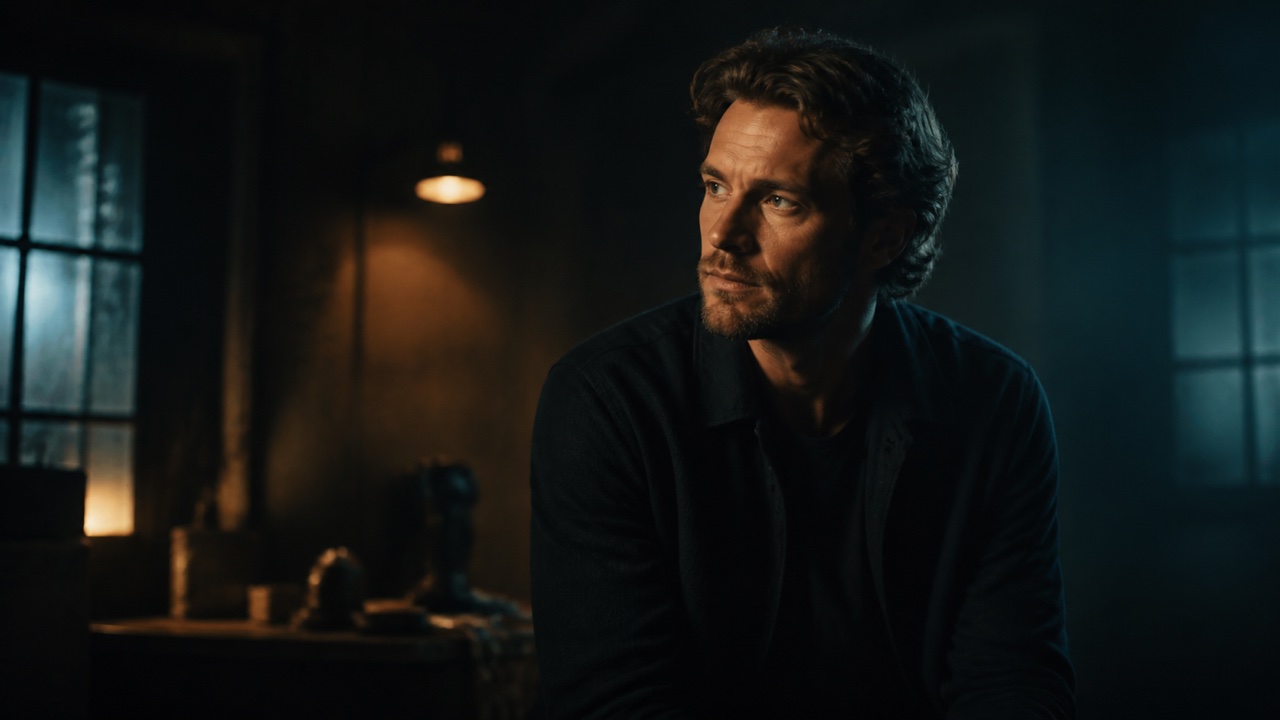
How AI Cinematic Relighting Works
AI cinematic relighting is built around selection, not prompt writing. Upload one photo, pick the visual direction you want, and generate a guided result. AI cinematic relighting applies the chosen recipe consistently, while AI photo relighting adapts its shadows, highlights, color, and atmosphere to the actual scene.

Upload a Photo You Want to Restyle
Start with one portrait, product image, travel shot, interior, or social photo. A clear subject and readable edges help AI cinematic relighting understand faces, objects, materials, and background depth. AI photo relighting can transform ordinary illumination, while AI cinematic relighting works best when important details remain visible in the source. No written prompt is required.

Choose One Cinematic Lighting Mood
Select Dramatic Shadows, Rim Light, Neon Lighting, Golden Hour, or Film Noir. AI cinematic relighting gives each option a complete direction for light character, contrast, color, falloff, and atmosphere. AI photo relighting fits the preset to your scene instead of placing a generic color layer over it. Choose the mood that supports your story, and AI cinematic relighting handles the technical lighting recipe.

Generate the Relit Version
Run the selected preset and wait for the transformed image. AI cinematic relighting evaluates where a key light, edge light, glow, or patterned shadow can sit naturally. AI photo relighting coordinates the subject and background so the result feels connected. AI cinematic relighting changes illumination and tonal character while aiming to retain identity, pose, camera angle, scene geometry, and important objects.

Review or Try Another Preset
Compare AI cinematic relighting with the source and check faces, hands, labels, reflections, shadow direction, and background structure. If the mood is not right, choose another style and generate again. AI cinematic relighting makes contrasting directions easy to test, while AI photo relighting gives every preset a scene-aware interpretation. Keep the version whose lighting best supports your intended emotion and use.
Best AI Image Tools for Creative Projects
Explore creative tools for image, learn tips and tricks, and see how AI can be your assistant in turning concepts into finished projects.








Explore Five AI Cinematic Relighting Presets
AI cinematic relighting uses a recognizable lighting language, not a simple filter. AI cinematic relighting decides how light wraps around the subject, where shadows fall, and how color travels through the scene. AI photo relighting makes every preset responsive to the image, helping one composition support suspense, polish, energy, nostalgia, or mystery without technical writing.
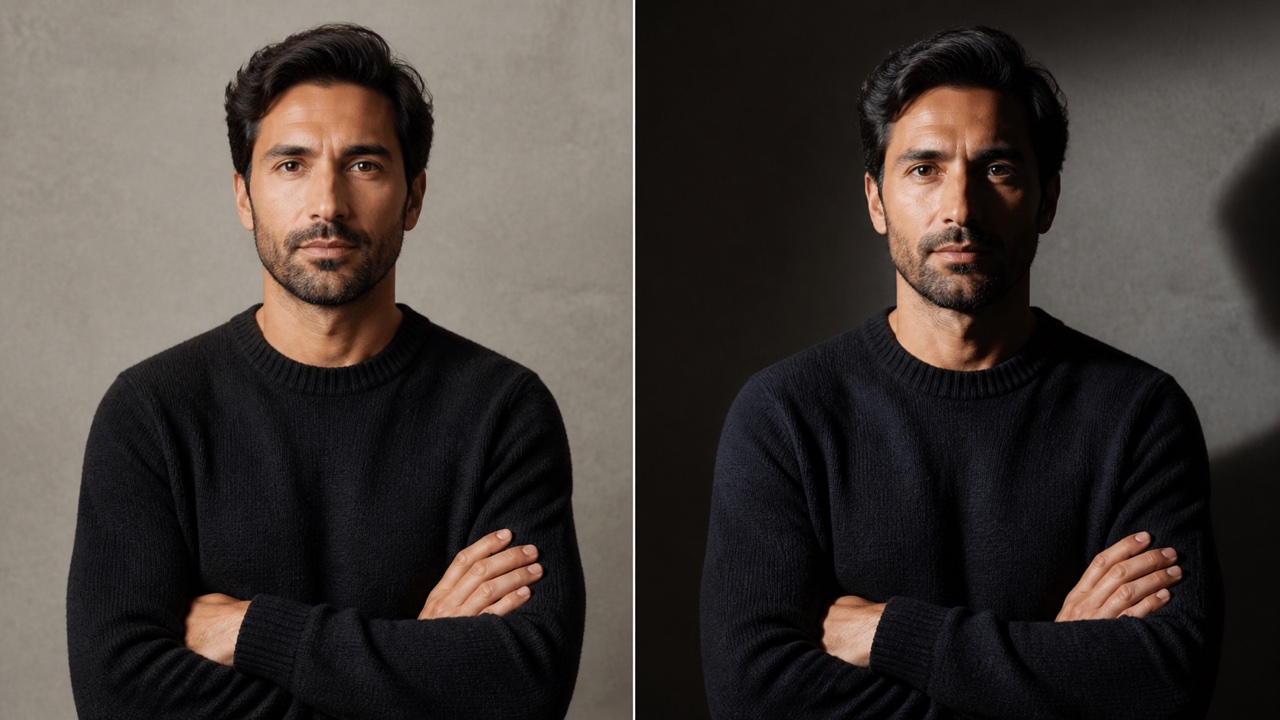
AI Cinematic Relighting: Create Focus with Dramatic Shadows
Choose Dramatic Shadows when a flat photo needs stronger shape, tension, and hierarchy. AI cinematic relighting introduces a hard directional key, controlled falloff, detailed shadows, and purposeful negative space. AI cinematic relighting guides attention toward a face, product, gesture, or architectural line without hiding every secondary detail. AI photo relighting adapts contrast to the scene, while AI cinematic relighting keeps highlights and shadow edges motivated. If the source is badly underexposed or uneven, open Fix Photo Lighting first, then return for the creative dramatic shadows effect.
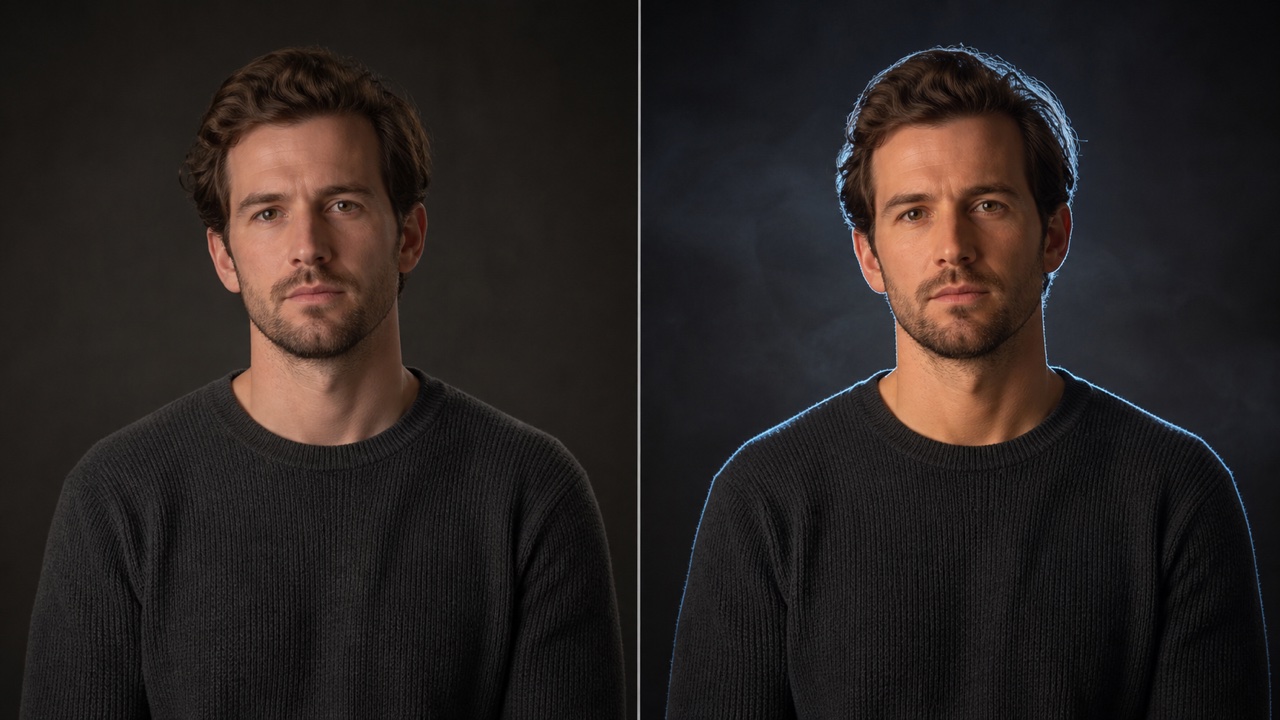
AI Cinematic Relighting: Outline the Subject with Rim Light
Select Rim Light to separate hair, shoulders, silhouettes, or product edges from a darker background. AI cinematic relighting adds a narrow edge highlight, supporting soft key, and subtle haze so the outline feels sourced from the scene. AI cinematic relighting lets the edge respond naturally to depth, while AI photo relighting adjusts it across skin, fabric, glass, and metal. As a rim light photo editor, AI cinematic relighting creates elegant definition for portraits, campaigns, and cover art while protecting facial structure and pose.
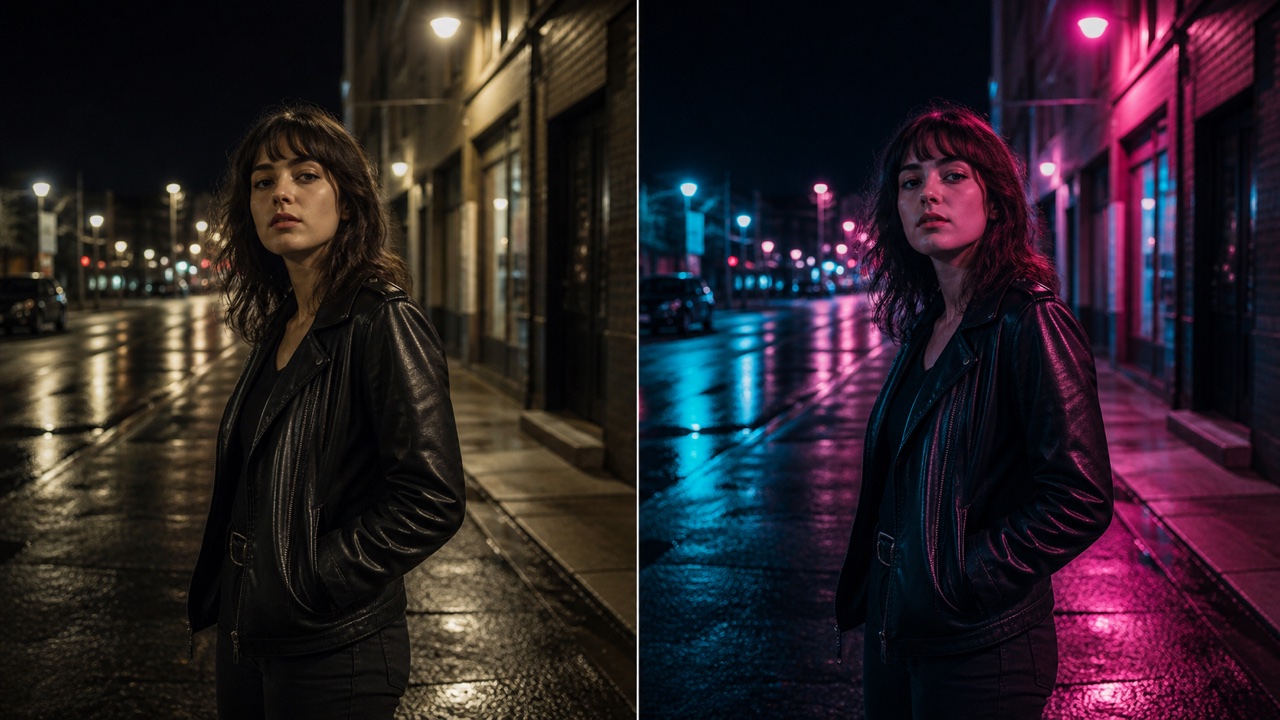
AI Cinematic Relighting: Add Energy with Neon Lighting
Pick Neon Lighting for portraits, streets, performances, gaming imagery, or products that need a modern color story. AI cinematic relighting introduces controlled cyan and magenta spill, coherent reflections, shaped shadows, dimensional skin, and restrained bloom. AI cinematic relighting avoids washing the entire frame in one hue, while AI photo relighting varies color across nearby materials and depth planes. AI cinematic relighting makes the neon lighting photo effect believable, keeping the subject readable as the scene gains electric contrast and night-time atmosphere.
AI Cinematic Relighting: Warm the Scene with Golden Hour
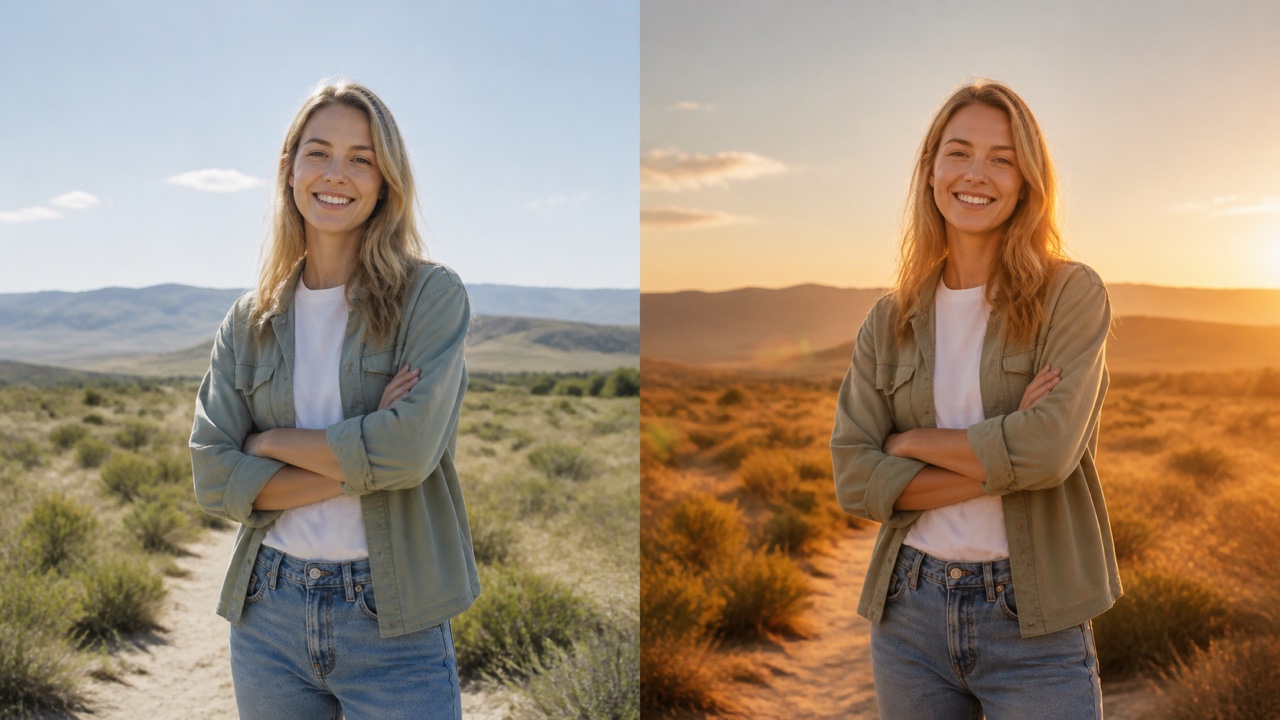
Choose Golden Hour when a daytime or indoor photo needs soft warmth and a sense of time. AI cinematic relighting adds low amber backlight, gentle shadows, golden edge highlights, subtle flare, and natural color separation. AI cinematic relighting builds a golden hour photo effect through consistent direction and falloff, not an orange tint. AI photo relighting protects faces and pale materials from muddy color, while AI cinematic relighting gives portraits, travel scenes, weddings, and lifestyle images a warm, hopeful atmosphere.
Where AI Cinematic Relighting Adds Creative Direction
AI cinematic relighting is most useful when its mood serves a real visual goal. AI cinematic relighting can turn one source into a portrait study, campaign concept, travel memory, cover image, or coordinated social post. AI photo relighting makes those directions easier to compare while preserving the recognizable scene beneath the new light.

AI Cinematic Relighting: Portraits with a Clear Emotional Tone
Use AI cinematic relighting to give portrait lighting an intentional emotional role. Dramatic Shadows can suggest resolve, Rim Light can add polish, Golden Hour can create warmth, and Film Noir can build mystery. AI photo relighting changes how the face is modeled without another shoot. AI cinematic relighting suits profile images, editorial tests, actor portraits, and personal projects where expression, identity, skin texture, hairstyle, and pose should remain recognizable. AI cinematic relighting turns cinematic portrait lighting into a selectable creative decision.

AI Cinematic Relighting: Products with Stronger Material Definition
Apply AI cinematic relighting to bottles, shoes, devices, food, jewelry, or handmade objects when flat light makes their form feel ordinary. Rim Light can trace a polished edge, Neon Lighting can add campaign energy, and Dramatic Shadows can create premium contrast. AI photo relighting adapts highlights and cast shadows to glass, metal, fabric, and matte surfaces. AI cinematic relighting establishes visual hierarchy while keeping proportions, labels, and geometry available for review. AI cinematic relighting makes material definition part of the mood.
AI Cinematic Relighting: Travel Photos with a New Sense of Time
Use AI cinematic relighting when a travel image captured the place but missed the atmosphere you remember. Golden Hour can warm a street, Neon Lighting can reshape a city, and Film Noir can turn architecture into a graphic study. AI photo relighting makes it simple to add cinematic lighting to a photo without rebuilding the location. AI cinematic relighting retains landmarks, people, perspective, and scene structure. AI cinematic relighting changes the emotional temperature while the place remains familiar.

AI Cinematic Relighting: Posters, Covers, and Music Artwork
Choose AI cinematic relighting before adding typography to a poster, podcast cover, book concept, or music release image. Rim Light can separate a performer, Dramatic Shadows can create negative space, and Neon Lighting can establish a memorable palette. AI photo relighting gives designers several art-direction options from one source. AI cinematic relighting creates focal contrast while maintaining subject scale, camera angle, and usable space. AI cinematic relighting prepares a mood-led foundation for the later layout.
Creative Teams Exploring AI Cinematic Relighting
These fictional examples show how AI cinematic relighting can support real creative choices. The preset workflow is easy to explain to collaborators, quick to compare, and focused enough to turn an abstract mood into a visible lighting direction.
AI cinematic relighting gives portrait clients a simple way to react to distinct moods. We compare Dramatic Shadows, Rim Light, and Golden Hour on the same source instead of debating technical setups. AI photo relighting helps us choose the emotional direction before a final pass, while the preset names keep feedback specific. I still inspect skin, eyes, and hair carefully.
For product concepts, AI cinematic relighting lets our team compare polished edge lighting with darker campaign contrast without rebuilding the shot. The preset workflow keeps reviews focused around one defined direction. AI photo relighting helps us explore how glass, metal, and packaging respond to a mood, while we continue to verify labels, shape, and reflection accuracy before approving artwork.
AI cinematic relighting turns one musician portrait into several cover routes. Neon Lighting feels energetic, Rim Light feels polished, and Film Noir makes the same expression mysterious. Selecting a preset instead of writing a long instruction keeps the first comparison fast and consistent. I can choose the frame with the strongest focal contrast, then handle typography during layout.
AI cinematic relighting gives my travel archive a second life without pretending the location was somewhere else. Golden Hour restores warmth that a midday capture lacked, while Film Noir reveals graphic structure indoors. The preset keeps me from overcomplicating the edit. I review architecture and people closely, then keep the version whose light feels plausible for the story.



AI Cinematic Relighting FAQ
Understand what AI cinematic relighting changes, how the five presets work, what to review, and when Pixomi's corrective lighting tool is the better first step.
No. Upload a photo and choose one of five built-in lighting presets. AI cinematic relighting receives the complete style direction from your selection, so you do not need to describe light color, placement, contrast, or atmosphere in a text box.
You can choose Dramatic Shadows, Rim Light, Neon Lighting, Golden Hour, or Film Noir. Each preset gives AI cinematic relighting a distinct combination of direction, contrast, color, falloff, and atmosphere, then adapts that recipe to the uploaded scene.
AI cinematic relighting changes illumination, shadow depth, highlight placement, color temperature, glow, and tonal mood. It is designed to preserve identity, pose, clothing, camera angle, composition, scene geometry, text, and important objects, although every generated result should still be inspected.
Yes. Choose Golden Hour for warm low sunlight, Neon Lighting for colored evening energy, or another preset for a more dramatic transformation. AI cinematic relighting uses scene-aware light and shadow rather than relying on a flat tint, helping daytime sources support a different mood.
Choose Film Noir. Its low-key recipe uses a hard side key, limited fill, crisp patterned shadows, subtle haze, textured blacks, and a readable catchlight. AI cinematic relighting balances selective darkness with enough visible detail to keep the subject and scene understandable.
Yes. Generate one preset, review the output, then return and select another. Comparing Dramatic Shadows, Rim Light, Neon Lighting, Golden Hour, and Film Noir on the same source is a useful way to see which visual direction best supports the story.
Use this page for a deliberate movie-style transformation, and use Fix Photo Lighting to correct poor exposure, uneven illumination, or accidental shadows. If the source has serious technical lighting problems, repair it first; then use AI photo relighting here for the creative preset pass.
The edit is instructed to preserve those details, but generative results can still drift. Review faces, hands, logos, product shapes, lettering, reflections, and background geometry before use. Try another generation if any important feature changes or if the new light does not interact coherently with the scene.
Choose a Movie Mood for the Photo You Already Have
Upload one image, select the lighting direction, and generate a transformed version without writing a prompt. AI cinematic relighting turns your choice into coordinated shadows, highlights, color, and atmosphere while keeping the subject and composition.
