
More AI Image Generators
Explore our collection of specialized AI image generators designed for different creative needs and styles
















Moss Image AI Generator
Text Rendering And Layout With Creative Intent
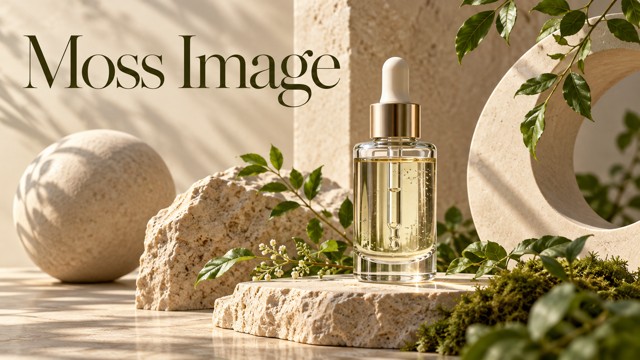
Explore Moss Image for readable typography, intentional layouts, and expressive visual styles. Create a portrait, product concept, illustration, or imaginative scene. Start the Moss Image AI Generator workflow with a clear subject, then describe the text, composition, lighting, and colors that bring your idea together.
From Prompt To Image
Create a downloadable image in three steps. Write a clear Moss Image AI Generator prompt, choose your settings, then generate and refine.

Enter Your Prompt
Describe your subject, setting, lighting, and style. For a Moss Image design, specify the headline and placement in plain language. Put essential requirements first, then add supporting colors and details.

Click Generate
Choose your aspect ratio and settings, review the credit requirement, then click Generate. Use the Moss Image AI Generator workflow to create a visual with a clear subject and composition.

Download Your Image
Check spelling, anatomy, materials, and composition, then download your original image. Refine the prompt and generate another version for a different mood, stronger layout, or clearer visual direction.
Best AI Image Tools for Creative Projects
Explore creative tools for image, learn tips and tricks, and see how AI can be your assistant in turning concepts into finished projects.











Words And Layout Come First
Moss Image combines image generation, typography, and purposeful composition. Build Moss Image AI Generator prompts around your goal: a readable poster, convincing product scene, original anime character, or detailed environment.
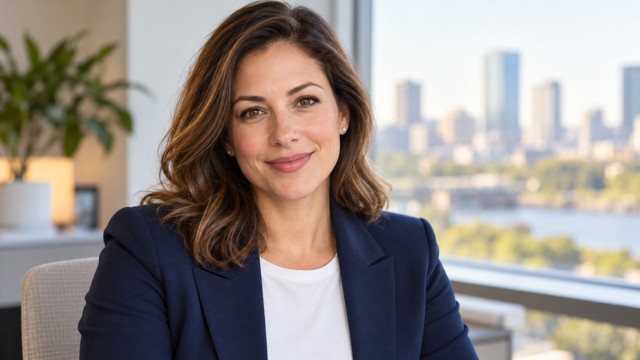
Text To Image With A Clear Brief
Turn written direction into a new image by describing the subject, environment, lighting, perspective, and mood. A Moss Image AI Generator brief works best when essential requirements come first. For portraits, specify an adult subject, warm window light, realistic skin texture, and a quiet background. Clear, concrete details make your intention easier to evaluate. Review anatomy and facial details before choosing a result.

Accurate Text Rendering For Design
Specify exact wording, hierarchy, type style, color, and placement. Use the Moss Image AI Generator as an AI Typography Generator for headings, packaging concepts, and posters. Keep text blocks short and clearly separated. Reserve space above a product for the headline and below it for supporting copy. Proofread characters, spacing, and line breaks before using AI Text Rendering in a campaign.
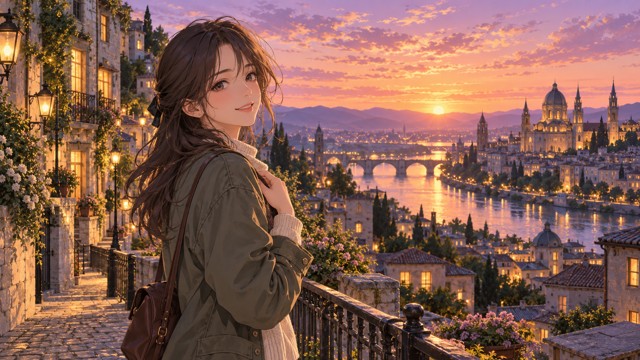
Anime And Photorealistic Visual Styles
Explore anime and photorealistic imagery with the Moss Image AI Generator. Describe linework, textures, lighting, and atmosphere to guide the style. For anime, combine an original character with a detailed setting. For photography, specify believable materials, perspective, and natural light. A coherent palette and dominant lighting direction connect subject and environment. Keep stylistic cues consistent so the composition feels deliberate.

Layout Control And Long Prompts
Moss Image supports structured prompts for arranging text and objects. Use AI Layout Control principles to define their relationships. For a Moss Image AI Generator composition, establish one focal point, group related elements, and reserve negative space. Explain foreground, background, scale, color, and lighting in order. Directions such as upper left or behind the subject clarify placement. Each detail should support the composition.
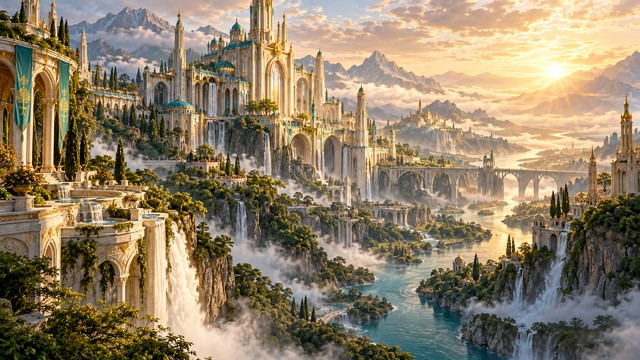
Efficient 5B Architecture And Adaptation
Moss Image uses an approximately 5B-parameter DiT backbone. The MOSS Image 5B family includes a base model and a version fine-tuned on curated data. Use the Moss Image AI Generator approach for portraits or elaborate environments, describing scale, atmosphere, materials, and light. OpenMOSS also supports developer adaptation through full fine-tuning and LoRA training, providing a path toward specialized styles and domains.
Creative Uses With A Purpose
Explore commercial, social, illustration, and educational projects with these Moss Image AI Generator ideas. Define your audience and communication goal, then shape the typography and composition.

Posters And Typography
Build a poster around one message, a headline, and a supporting image. Moss Image suits concepts with lettering inside the composition. State exact copy and placement in your Moss Image AI Generator brief. Explore contrast, alignment, and negative space, then proofread and review the final design.

Brand Advertising And Social Images
Develop campaign concepts, launch graphics, and social visuals with a clear focal point. Moss Image helps connect product, background, and message. Use a Moss Image AI Generator brief to coordinate materials, light, palette, and placement. Review packaging and brand details, then adapt the composition to your channel.
Anime Illustration And Concept Art
Create an original character in a believable setting or a fantasy environment with atmospheric depth. Moss Image supports varied visual styles. Use a Moss Image AI Generator brief to connect mood, setting, and color. Describe foreground and background separately while keeping the main narrative clear.

Photography And Educational Graphics
Explore portraits, product concepts, classroom illustrations, and presentation visuals. Moss Image is relevant when arrangement or embedded text matters. Define the learning objective, key objects, and visual hierarchy in your Moss Image AI Generator brief. Verify facts and labels, and distinguish generated scenes from documentary images.
Creative Perspectives
Fictional names and example reactions illustrate what designers, illustrators, and creators value when developing a Moss Image visual direction.
I value clear reading order and space around headlines. Typography works best when it supports the message without distracting details.
A shared focal point, lighting, and mood strengthen a brief, giving our team a practical basis for discussing ideas and refinements.
I enjoy original characters in storytelling settings. Consistent color and natural poses matter more than adding effects to every corner.
Reflections and subtle shadows make product concepts feel considered. I review structure and brand details before choosing a finished asset.
A strong social image needs one clear idea: a focused subject, short message, and composition that adapts to different placements.
Accurate labels, logical grouping, and simple hierarchy help me judge if an illustration clarifies a concept before using it in lessons.






Moss Image Questions
Find answers about Moss Image, prompting, text rendering, and composition. Use these Moss Image AI Generator tips to create clearer, more purposeful visuals.
Moss Image is an OpenMOSS text-to-image family with an approximately 5B-parameter DiT backbone. It combines image generation, text rendering, layout control, and varied styles. Use the Moss Image AI Generator workflow to shape subjects, lettering, composition, and lighting.
The official Moss Image family includes MOSS-Image-Base and MOSS-Image-SFT, fine-tuned on curated data. OpenMOSS released code and weights on October 16, 2026. Developer resources cover inference, prompts, structured layouts, and model adaptation.
Yes. Moss Image supports text rendering for posters and advertising concepts. Specify exact wording, hierarchy, position, color, and type style. Proofread your Moss Image AI Generator result, paying particular attention to long passages, small lettering, and brand typography.
Describe the scene and the position of the subject, headline, and supporting objects. Moss Image also supports JSON layouts with text, object descriptions, and bounding boxes. Keep hierarchy simple, reserve negative space, and review the resulting placement.
Yes. Moss Image supports approximately 4K tokens at model level. Organize your MOSS Image Text to Image brief by subject, composition, text, lighting, and style. Follow the prompt field’s character allowance and prioritize essential details.
Yes. Moss Image supports anime and photorealistic styles. Describe clear style cues and coherent lighting in your Moss Image AI Generator prompt. Create original characters, environments, portraits, or product concepts, then check anatomy, reflections, and complex structures.
Moss Image generates still images from text and composition instructions. Describe a portrait, poster, product visual, or illustration, then refine the prompt to vary the setting, lighting, style, or layout while keeping your creative direction consistent.
The official Base and SFT weights and inference code use Apache License 2.0. Review license notices, Pixomi’s terms, and rights involving prompts, trademarks, people, and output. The model license does not automatically clear every generated design.
Describe your subject, setting, style, text, and layout. Choose available settings, review the credit requirement, and click Generate. Inspect and download the result. Refine one or two details in your Moss Image AI Generator prompt to explore another direction.
OpenMOSS supports developer adaptation of Moss Image. DiffSynth-Studio provides full fine-tuning and LoRA training for Base and SFT checkpoints, using suitable data, compute, and a development environment. For everyday creativity, describe your preferred style and composition in the prompt.
Turn A Clear Brief Into A Visual
Bring your visual idea into focus with Moss Image. Describe the subject, headline, layout, lighting, and style in your Moss Image AI Generator prompt. Create a visual, then download your preferred result.
