
More AI Image Generators
Explore our collection of specialized AI image generators designed for different creative needs and styles

















AI Giant Person Effect for Cinematic Scale Edits
Turn the main subject into a giant figure with AI Giant Person Effect.
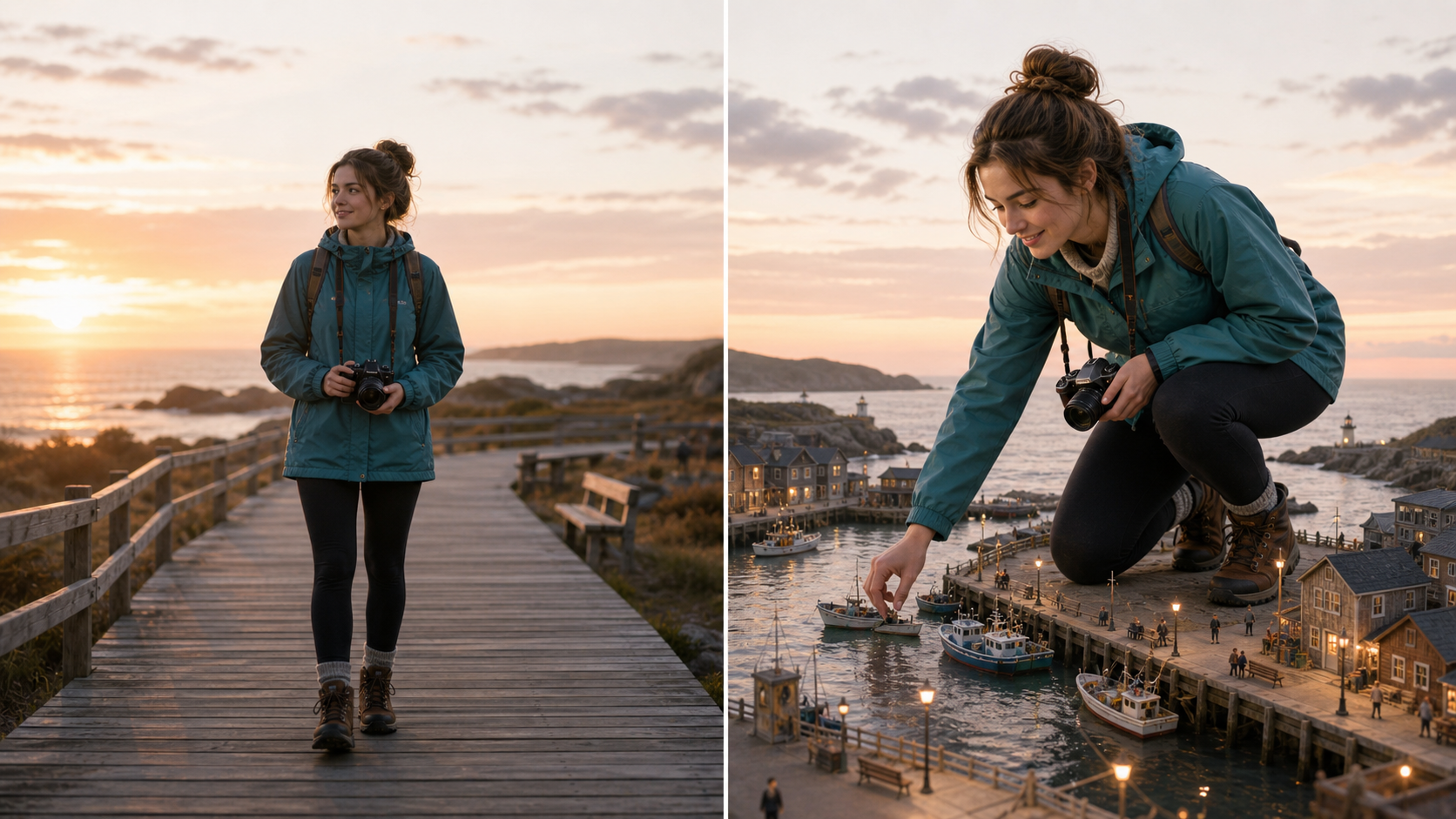
AI Giant Person Effect transforms ordinary portraits, full-body shots, pet photos, and creative subject images into larger-than-life scenes. Use AI Giant Person Effect to keep recognizable details while AI Giant Person Effect builds scale, lighting, and perspective around the uploaded image.
How to Use AI Giant Person Effect
The workflow is built for fast creative editing: upload a subject, guide the giant-scale scene, then export a polished composition. AI Giant Person Effect keeps the process clear while AI Giant Person Effect handles the visual transformation.

Upload Your Source Photo
Start AI Giant Person Effect with a clear image of the person, pet, or object you want to enlarge. A well-lit source helps AI Giant Person Effect preserve facial cues, clothing, pose, texture, and the original personality of the subject.

Guide AI Giant Person Effect Scene
Describe the location, camera angle, action, and tiny environmental details you want around the subject. AI Giant Person Effect uses those cues to compose scale, depth, shadows, and interaction so AI Giant Person Effect can produce a scene that feels intentional rather than pasted together.

Review and Use the Result
Check the transformed image for likeness, proportions, and visual drama. Once AI Giant Person Effect gives you the right mood, use the resulting AI Giant Person Effect images in posts, thumbnails, pitches, storyboards, or follow-up creative edits.
Best AI Image Tools for Creative Projects
Explore creative tools for image, learn tips and tricks, and see how AI can be your assistant in turning concepts into finished projects.











Features of AI Giant Person Effect
AI Giant Person Effect focuses on identity-aware scaling, believable perspective, and dramatic scene context. Use the Giant Person Photo Generator when you need a playful, cinematic transformation that still respects the original photo.
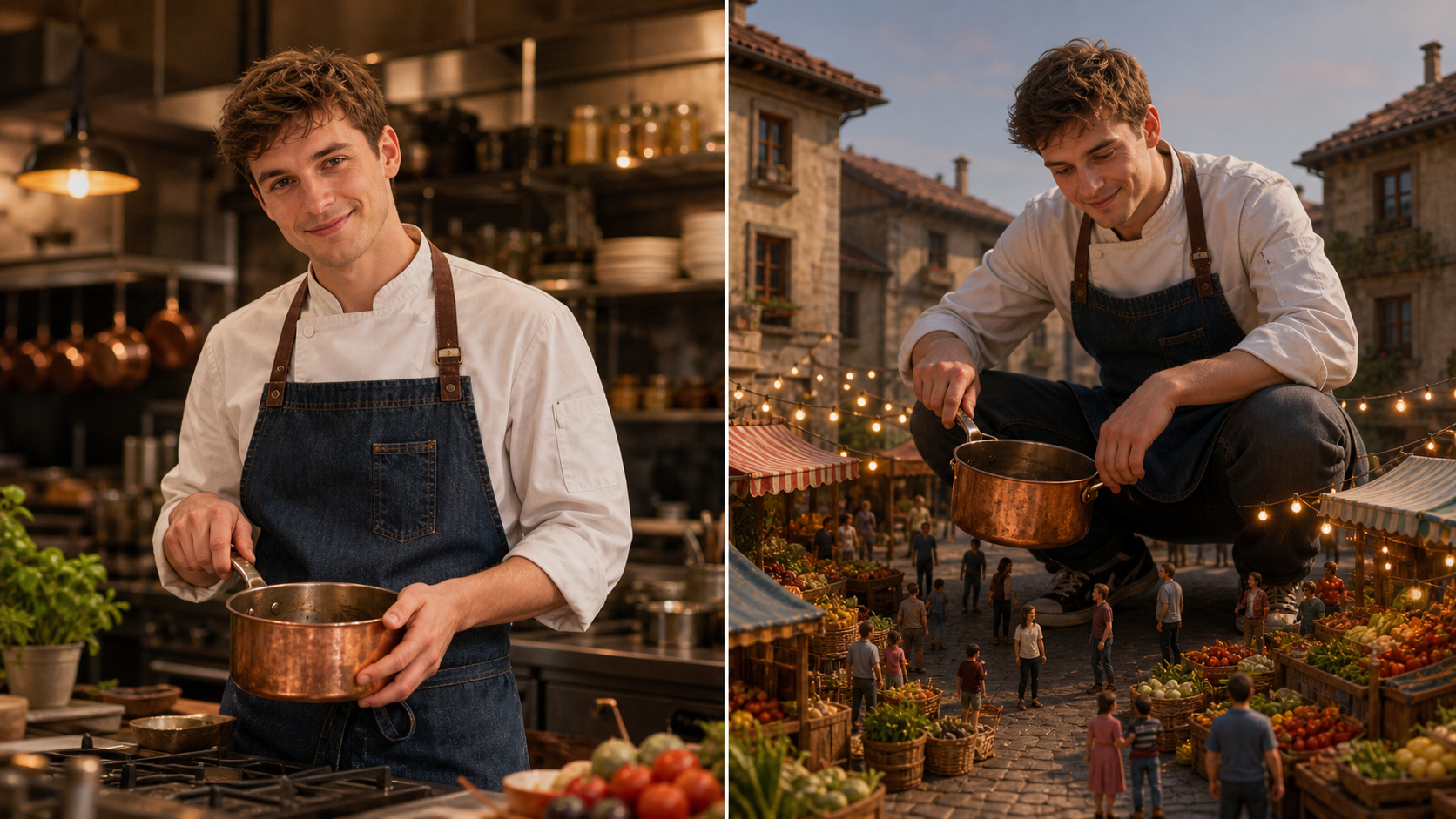
Keep the Subject Recognizable at Giant Scale
AI Giant Person Effect should enlarge the subject without losing the details that make the original photo feel personal. AI Giant Person Effect can keep the face, outfit, posture, pet markings, or distinctive accessories visible while AI Giant Person Effect rebuilds the surrounding environment at miniature scale.
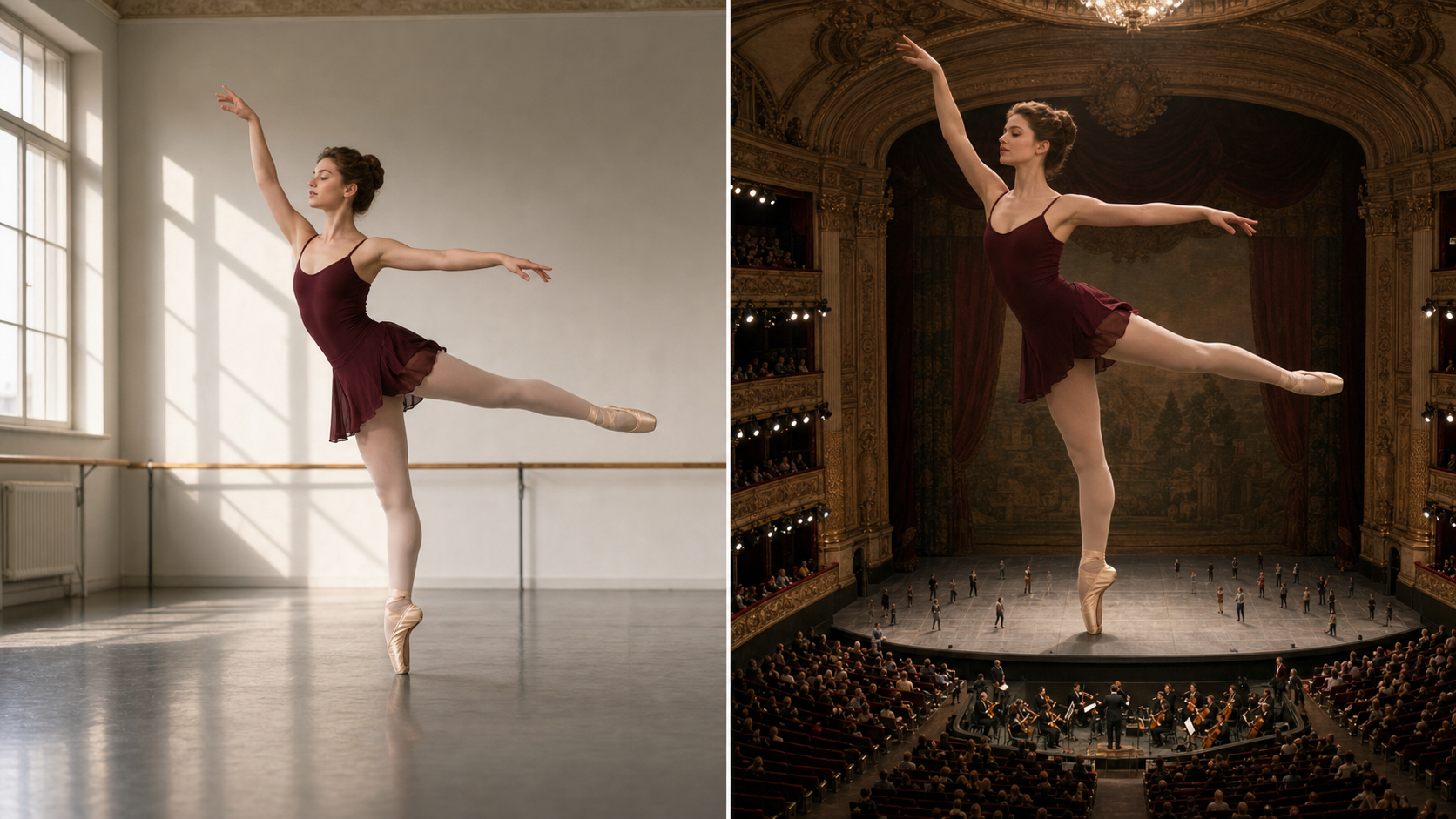
Build Believable Forced-Perspective Scenes
A strong AI Giant Person Effect depends on more than making a subject large. The scene needs tiny people, cars, rooftops, gallery floors, stadium lanes, or city blocks that show clear scale. AI Giant Person Effect frames those reference elements around the enlarged subject, while AI Giant Person Effect results gain depth through matching shadows, lens perspective, and grounded contact points.
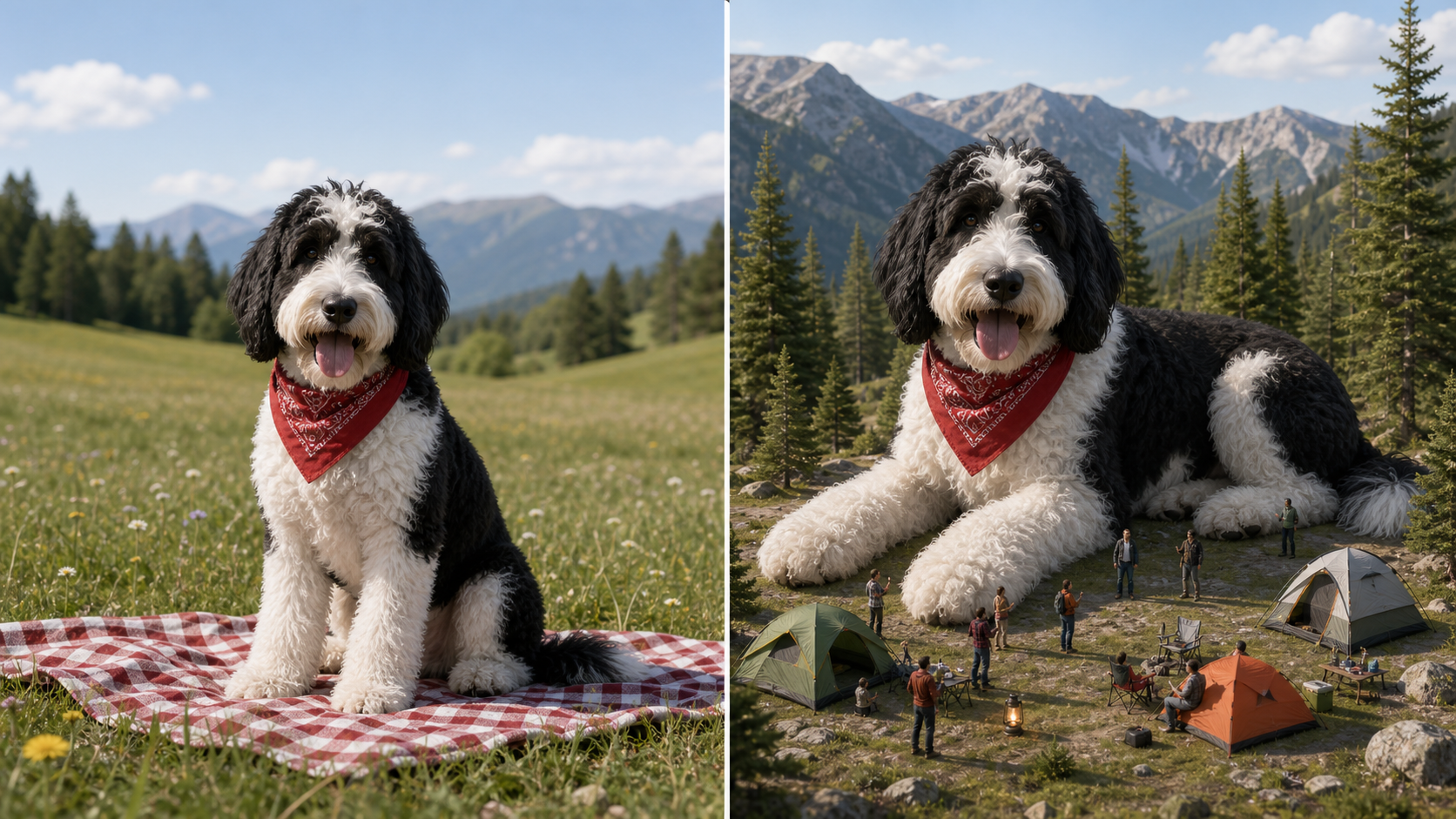
Explore People, Pets, Sports, and Surreal Objects
AI Giant Person Effect works best as a flexible creative direction, not a single pose. Turn a portrait into a harbor-scale figure, place a dancer inside a tiny theater, make a pet loom over a campsite, or stage an object as a monumental prop. AI Giant Generator can vary scene type and action while keeping AI Giant Person Effect visually coherent.
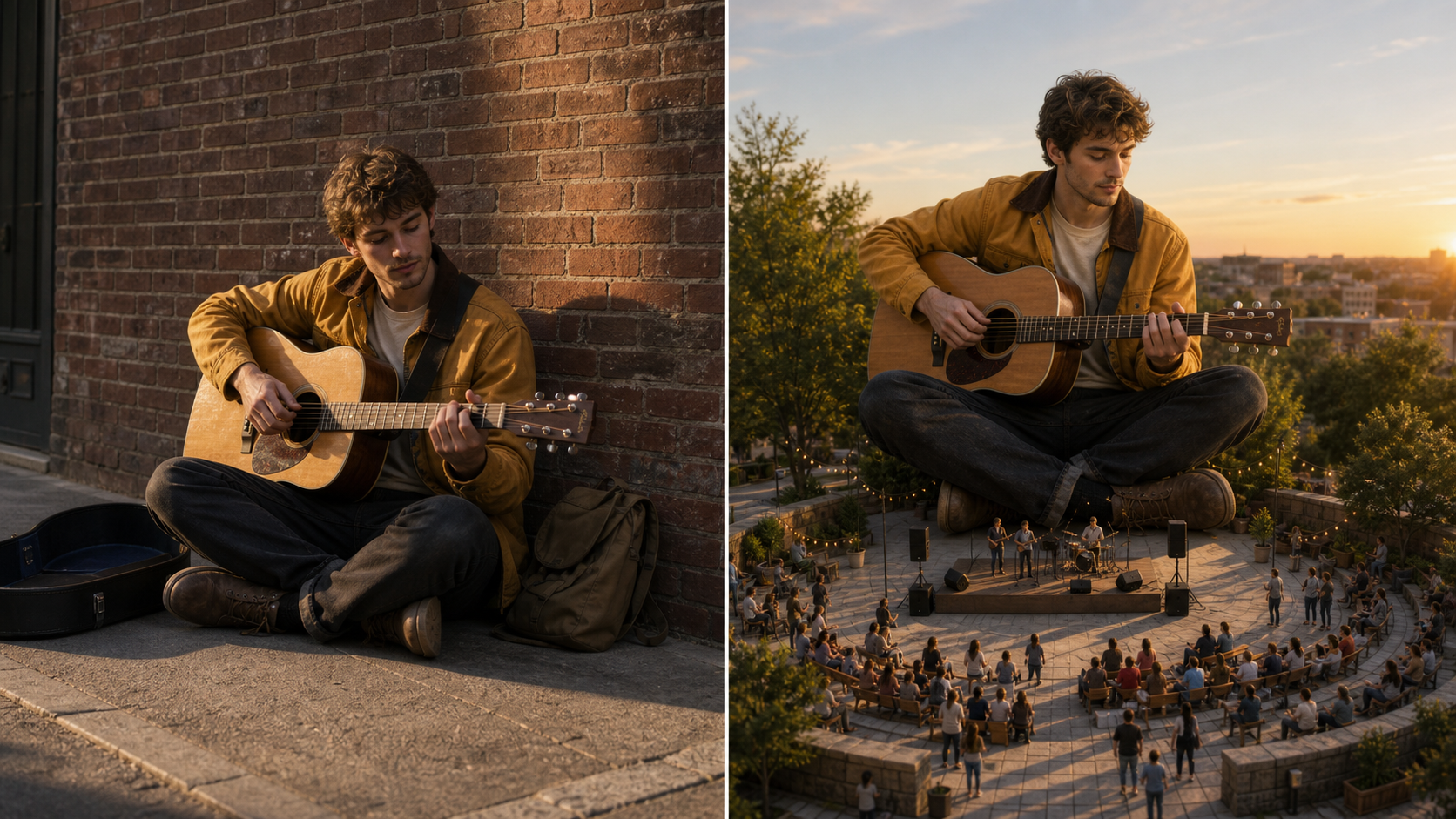
Create Shareable Images for Visual Storytelling
Use AI Giant Person Effect when a normal photo needs a stronger hook. A creator can turn a casual portrait into a surreal city scene, a marketer can frame a product idea around scale, and a storyteller can produce a dramatic concept frame. Giant Person Photo Generator gives AI Giant Photos a clear before-and-after transformation that audiences understand quickly.
Why Choose AI Giant Person Effect
Choose AI Giant Person Effect when you want a clear photo transformation, not a generic fantasy image. The Giant Person Photo Generator emphasizes scale cues, subject continuity, and scene logic across creative use cases.

Social Media Posts That Stop the Scroll
AI Giant Person Effect gives creators a clear visual twist: a familiar subject suddenly towers over a tiny world. Use the Giant Person Photo Generator to turn portraits, travel shots, pet images, or lifestyle photos into AI Giant Person Effect visuals with an immediate story. The result works well when a feed needs humor, scale, surprise, or a surreal thumbnail.

Concept Art for Stories and Campaigns
Writers, directors, and campaign teams can use AI Giant Person Effect to test a scale idea before building a full scene. The AI Giant Generator helps visualize how a character might lean over a city, crouch beside a vehicle, or interact with a tiny crowd. These AI Giant Person Effect images can support moodboards, pitches, and early narrative exploration.

Personal Edits with Recognizable Details
AI Giant Person Effect is useful when people want a fun edit that still looks like them. A clear upload lets the Giant Person Photo Generator preserve recognizable features, clothing, pose, and expression while changing the surrounding scale. Friends, families, and hobby creators can make AI Giant Person Effect edits that feel personal overall without needing manual compositing skills.

Pet and Animal Giant Scenes
A giant pet image can feel charming, strange, and cinematic at the same time. Use AI Giant Person Effect to turn a cat, dog, or other animal photo into a massive subject beside tiny hikers, small tents, miniature benches, or toy-sized park paths. The AI Giant Generator should keep fur texture and body shape while the miniature environment sells the scale.

Visuals with an Oversized Focal Point
AI Giant Person Effect can create a bold focal point for campaign concepts, event teasers, creator merchandise, and product narratives. By exaggerating scale, the Giant Person Photo Generator makes one subject impossible to miss. Use AI Giant Photos when a visual needs to communicate dominance, impact, spectacle, or a playful larger-than-life personality while keeping the message easy to grasp.

Source Frames for Later Creative Editing
A finished giant-scale image can become a starting frame for additional editing, layout design, or motion exploration. AI Giant Person Effect creates a strong composition with a large subject and small environmental details. Designers can then crop, annotate, animate, or remix AI Giant Photos as part of a broader creative workflow without rebuilding the concept from scratch again later.
What Creators Say About AI Giant Person Effect
Creators use AI Giant Person Effect for social hooks, pitch visuals, pet edits, sports concepts, and surreal story frames. Their feedback centers on recognizable subjects and instantly readable scale.
I used AI Giant Person Effect for a music promo concept and it gave me the oversized stage presence I wanted. Giant Person Photo Generator kept the artist recognizable, while the city details made the scene feel big enough for a campaign pitch.
Our team needed a surreal visual for a social series, and AI Giant Generator helped us move from a normal portrait to a complete scale illusion. The best part was how AI Giant Person Effect made the background explain the joke without extra copy.
I tried AI Giant Photos with a photo of my cat, and the result looked like a tiny neighborhood had been built around her. AI Giant Person Effect handled the playful scale while keeping the fur pattern and sleepy expression from the original image.
For storyboard exploration, AI Giant Person Effect is a practical shortcut. I can upload a reference, test a low-angle or aerial composition, and get an image that communicates the scene before spending time on a polished illustration.
Giant Person Photo Generator helped me turn a simple athlete image into a city-scale sports visual. AI Giant Person Effect kept the motion clear, and the tiny street details gave the composition a stronger sense of drama.
I like that AI Giant Person Effect creates a result people understand immediately. The subject becomes huge, the environment becomes miniature, and the whole image feels useful for posts, pitch decks, and quick creative tests.
FAQs About AI Giant Person Effect
These answers explain how AI Giant Person Effect works, which uploads perform best, how to guide scale cues, and how creators can use the Giant Person Photo Generator effectively.
AI Giant Person Effect is an image editing workflow that turns an uploaded subject into a giant-scale figure inside a new or reconstructed scene. Instead of only stretching the subject, it uses surrounding buildings, tiny people, vehicles, interiors, or landscape elements to show believable scale. A strong result should preserve the subject while changing the visual relationship between the subject and the environment.
Giant Person Photo Generator works best with a clear portrait, full-body image, pet photo, sports pose, or object shot where the main subject is easy to identify. Clean lighting and visible edges help AI Giant Person Effect keep important details. Crowded images can still be interesting, but a simpler source usually gives the AI Giant Generator more room to create a convincing giant-scale scene.
AI Giant Generator should preserve the most important identity cues from the uploaded photo, including facial structure, pose, outfit, animal markings, or key object details. Like any creative AI edit, results can vary with source quality and scene complexity. If the first AI Giant Person Effect output feels too different, use a clearer photo or add more precise guidance about what must remain unchanged.
Yes. AI Giant Person Effect can be used for pets and other strong foreground subjects when the upload makes the animal or object easy to read. A cat across rooftops, a dog in a city street, or a product staged like a monument can all create AI Giant Photos. The key is giving the tool enough visual information to preserve the subject while rebuilding scale.
A realistic AI Giant Person Effect needs scale references, not just a bigger person. Ask for tiny pedestrians, cars, rooftops, room interiors, stadium seats, gallery visitors, or other familiar objects around the subject. Camera angle matters too: low angles make a giant feel imposing, while aerial views reveal how the enlarged subject sits within the scene. Lighting and shadows should match the chosen environment.
Use AI Giant Person Effect for social media visuals, creator thumbnails, surreal portraits, campaign ideas, pitch decks, storyboards, pet edits, and concept art. The transformation is easy to understand because the uploaded subject remains central while the scene becomes miniature. That makes AI Giant Photos useful when you need one image to communicate scale, humor, personality, or spectacle very quickly.
Before-and-after examples are useful because AI Giant Person Effect is based on a visible transformation. The before side shows the normal uploaded photo, while the after side shows how the Giant Person Photo Generator changed scale, scene, and perspective. This comparison helps users understand that the output comes from their own image rather than a generic text-to-image result.
Create Your AI Giant Person Effect
Upload a favorite image and use AI Giant Person Effect to build a dramatic giant-scale scene. Turn portraits, pets, sports poses, and creative subjects into memorable AI Giant Photos with a clear AI Giant Person Effect direction.
