
More AI Image Generators
Explore our collection of specialized AI image generators designed for different creative needs and styles
























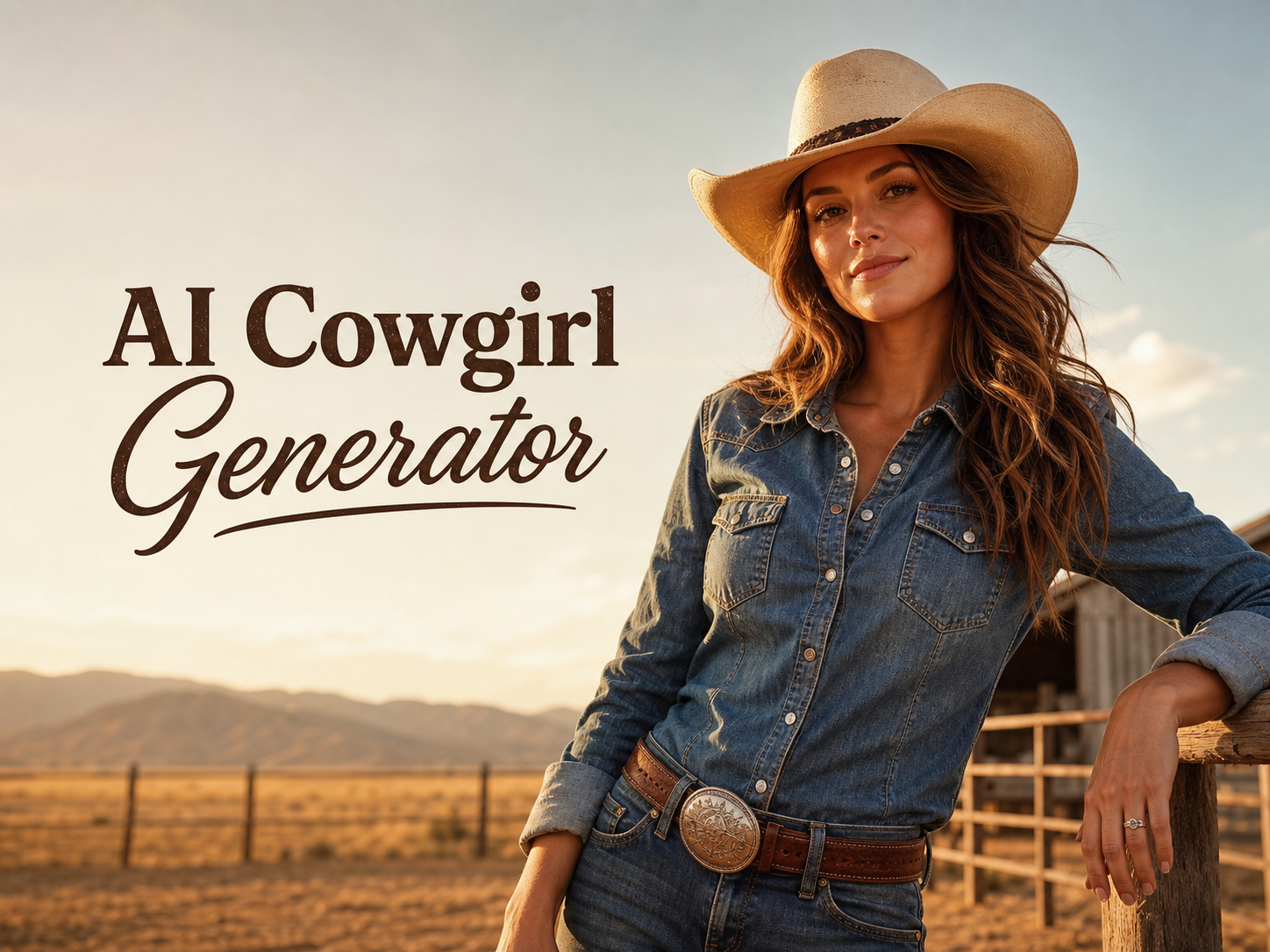
AI Cowgirl Generator for Western Photo Edits
Upload a portrait and use AI Cowgirl Generator to turn it into a believable western cowgirl look.
AI Cowgirl Generator helps creators restyle a real photo into a natural cowgirl portrait without losing the person behind the image. Use the AI Cowgirl Filter for denim, hats, boots, ranch mood, and western lighting that feels intentional.
How to Use AI Cowgirl Generator
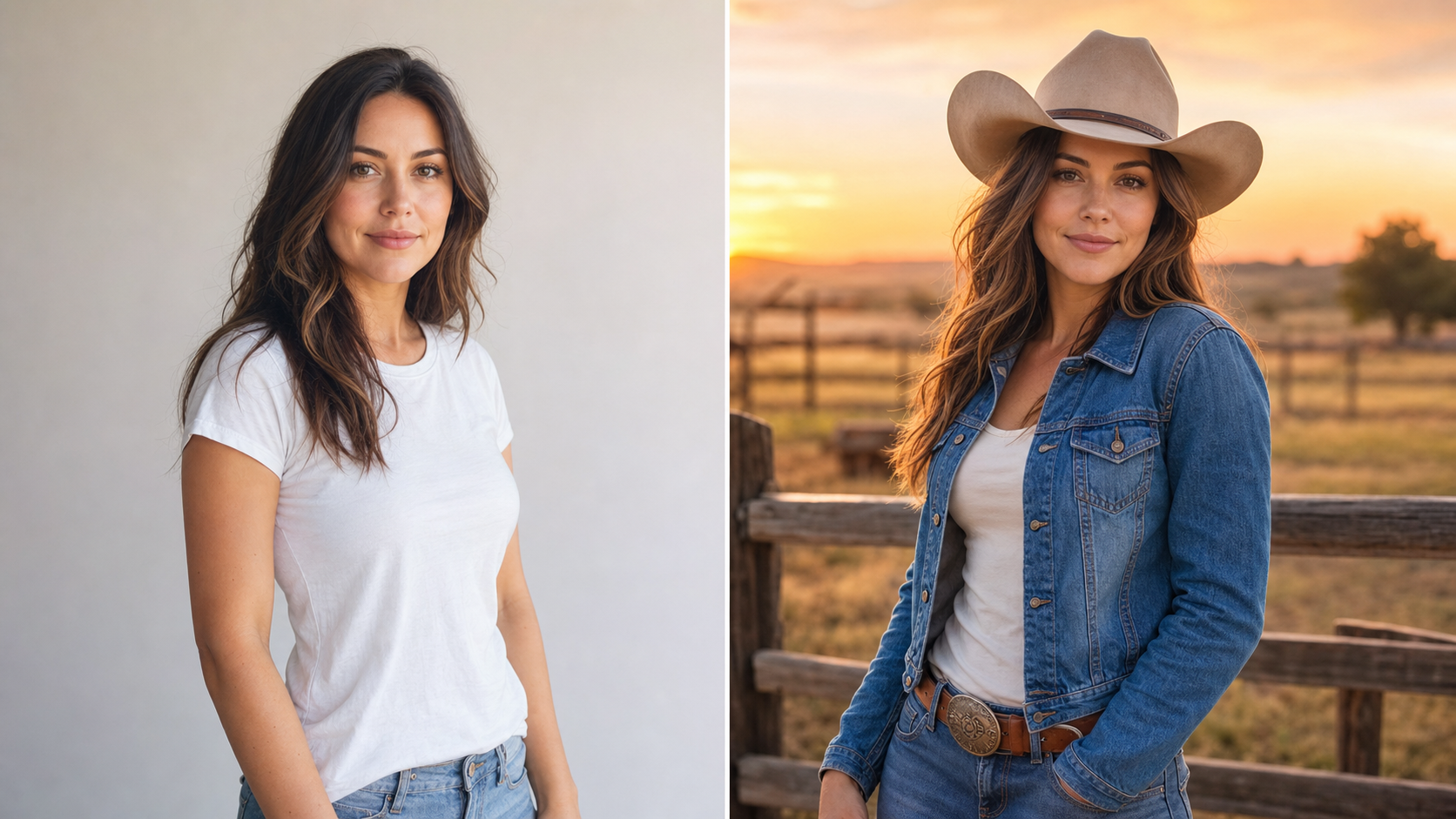
AI Cowgirl Generator keeps the workflow simple: upload, transform, and review. Each step focuses on preserving the original person while creating a western portrait that feels styled, wearable, and visually coherent.

Upload a Clear Portrait
Start AI Cowgirl Generator with a portrait where the face, hair, and pose are easy to read. A clean input gives the model enough structure to preserve identity while adding western wardrobe details, warm ranch lighting, and a cohesive cowgirl scene.

Apply the Cowgirl Look
Use AI Cowgirl Generator to guide the transformation toward a natural outfit, hat shape, leather texture, and background mood. The AI Cowgirl Filter should support the original expression and body angle instead of forcing a generic costume over the photo.

Review and Save the Result
Compare the original image with the finished cowgirl version, then keep the result that feels most authentic. AI Cowgirl Generator is built for social portraits, profile images, creative edits, and tasteful AI Cowgirl Art that still looks connected to the source photo.
Best AI Image Tools for Creative Projects
Explore creative tools for image, learn tips and tricks, and see how AI can be your assistant in turning concepts into finished projects.
AI Cowgirl Generator Features
AI Cowgirl Generator is designed for image-to-image cowgirl edits, not generic prompt output. It combines portrait preservation, western styling, AI Cowgirl Filter control, and polished visual direction for usable results.
Natural Portrait Edits with AI Cowgirl Generator
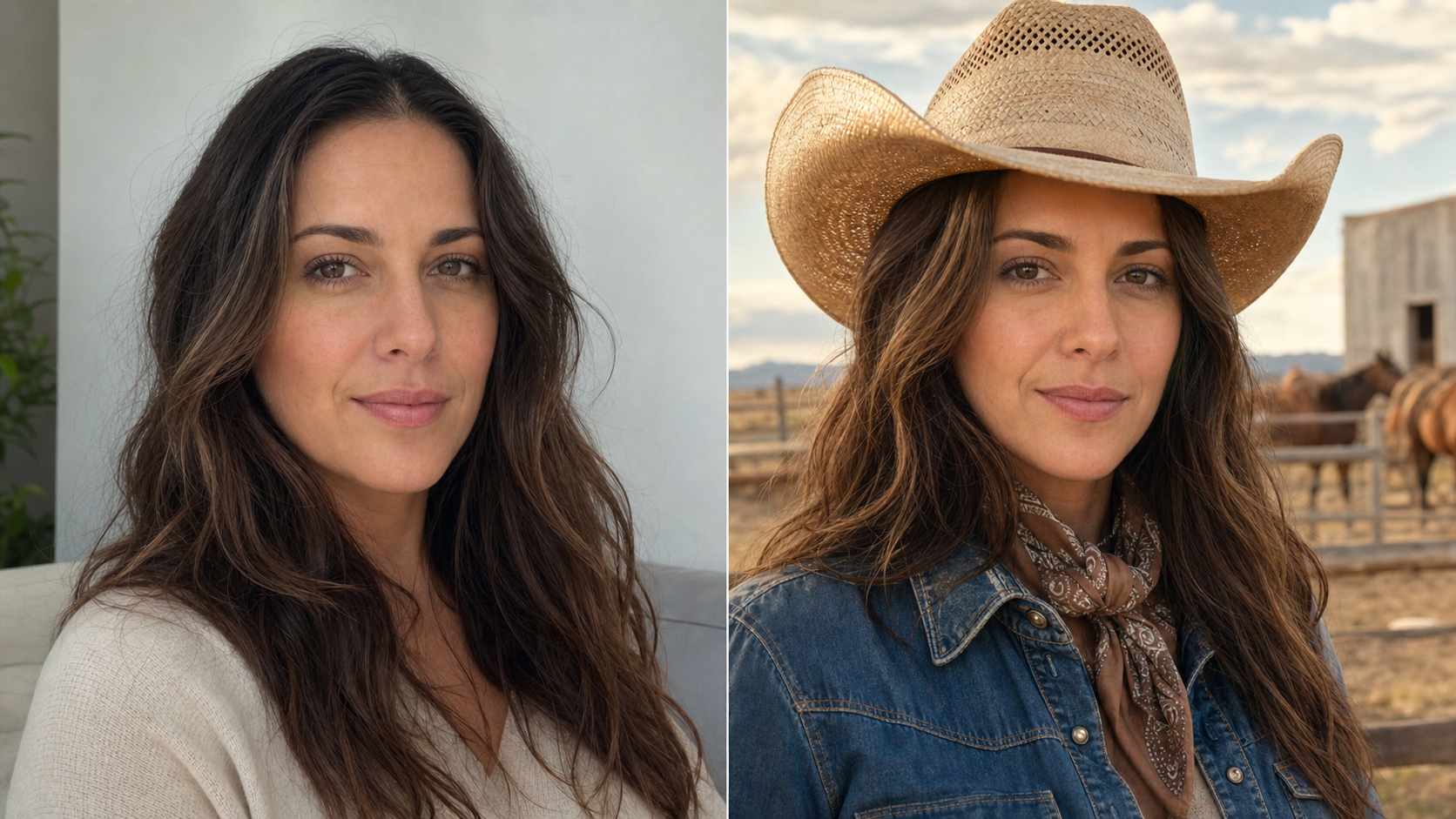
- AI Cowgirl Generator turns an uploaded portrait into a western look while keeping facial identity, expression, and body language recognizable.
- AI Cowgirl Generator adds a hat, denim, leather accents, and ranch-inspired light with careful proportion matching.
- Use AI Cowgirl Generator when you want a result that feels like a styled photo session, not a costume sticker.
AI Cowgirl Generator for Western Wardrobe Balance
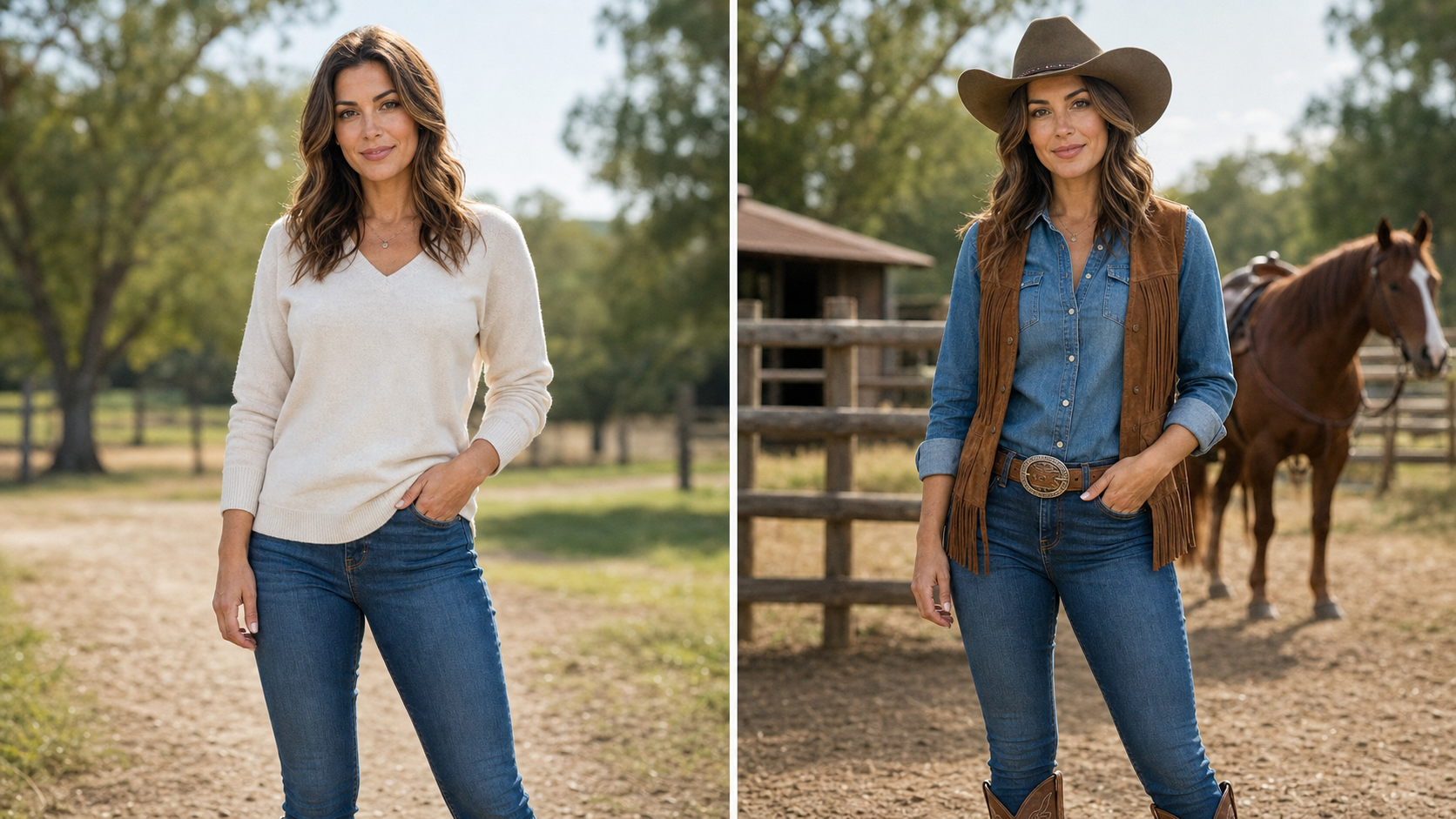
- AI Cowgirl Generator focuses on clothing that belongs with the uploaded photo, including fitted denim, suede, embroidery, boots, belts, and a hat that follows the head angle.
- A good AI Cowgirl Generator should respect skin tone, hairline, hands, and pose.
- AI Cowgirl Generator also balances the background so the western setting supports the subject instead of overwhelming the portrait.
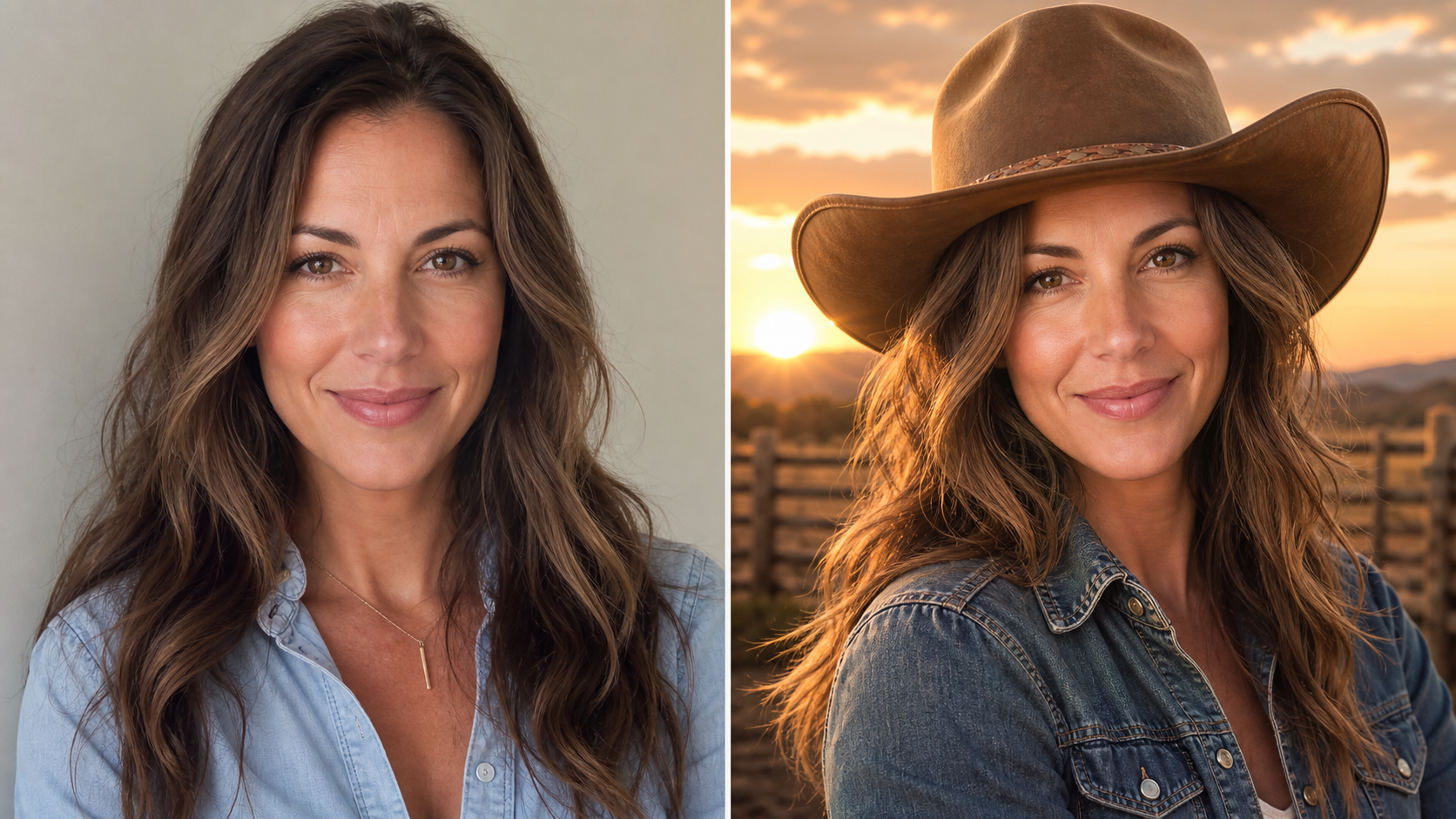
Polished AI Cowgirl Generator Results for Social Content
- Use AI Cowgirl Generator for profile photos, themed posts, banners, and character-inspired edits that need a clean finished look.
- AI Cowgirl Filter can shift a casual portrait toward sunset ranch color, dusty trail atmosphere, or studio western lighting.
- AI Cowgirl Generator keeps the final AI Cowgirl Art sharp, readable, and suitable for sharing without adding logos, captions, or distracting interface elements.
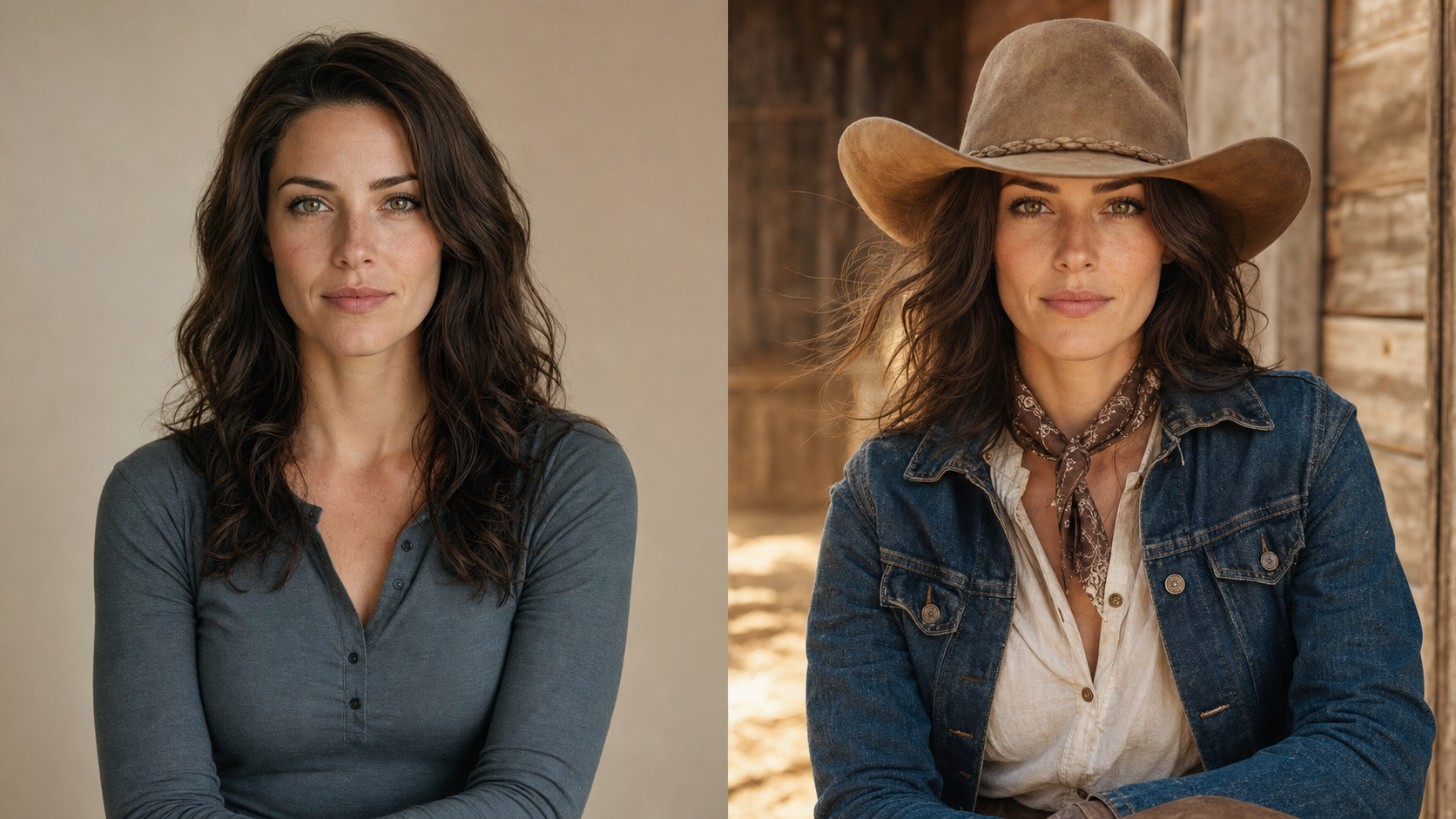
AI Cowgirl Generator for Realistic or Stylized Looks
- AI Cowgirl Generator can support realistic portraits, lightly cinematic ranch edits, fashion-forward western shots, and illustrated western concepts when the source photo calls for it.
- AI Cowgirl Filter should keep the person believable across each style by matching lighting, perspective, and fabric detail.
- Use AI Cowgirl Generator to create AI Cowgirl Art that feels expressive without drifting away from the uploaded image.
Why Choose This AI Cowgirl Generator
Choose AI Cowgirl Generator when you need a western transformation that respects the uploaded image. The result should look styled, natural, and useful across personal, creator, and campaign contexts.

Profile Pictures with Western Character
Use AI Cowgirl Generator when a standard portrait needs a stronger visual identity. It can turn a simple headshot into a western profile image with a hat, denim texture, warm light, and a ranch-inspired setting while keeping the face familiar and the composition easy to crop. AI Cowgirl Generator also keeps the result flexible for square, vertical, or banner layouts.

Themed Social Posts and Campaign Visuals
AI Cowgirl Generator helps creators build consistent western visuals from existing photos. Apply the AI Cowgirl Filter to personal portraits, influencer shots, or themed campaign images, then use the result for posts, story covers, thumbnails, and seasonal creative without needing a separate photo shoot. It is practical when a campaign needs multiple variations with the same mood. This helps teams compare tone before scheduling production.

Character Concepts from Real Photos
For writers, role players, and visual storytellers, AI Cowgirl Generator can convert a real portrait into a character reference. It keeps the uploaded person as the anchor while adding western wardrobe, dusty atmosphere, and cinematic ranch detail that can guide AI Cowgirl Art direction. The result can support mood boards, pitch decks, and early concept exploration. It also gives collaborators a shared visual reference.

Fashion Try-On Mood Boards
AI Cowgirl Generator is useful for testing the mood of western styling before planning outfits or shoots. You can explore hat shapes, fringe jackets, denim washes, boots, belts, and sunset lighting, then decide which direction feels natural for the subject and brand. AI Cowgirl Generator makes those visual comparisons faster and easier to review. That makes feedback more concrete before any wardrobe decisions.

Event and Party Creative
Use AI Cowgirl Generator for rodeo nights, country concerts, western birthday themes, bachelorette visuals, and playful invitation imagery. The AI Cowgirl Filter can create a coherent look from an ordinary portrait while keeping the final image focused on the person, not cluttered decorations. It gives event teams a styled image before print or social layout work begins. Designers can then crop or adapt the result confidently.

Creator Avatars and Series Concepts
AI Cowgirl Generator can help creators develop a recognizable western avatar style across multiple portraits. Keep the same visual language for AI Cowgirl Art series, channel icons, cover images, and themed posts while adapting each source photo to its own pose and lighting. This helps a creator build continuity without making every image feel identical. It also supports batch planning for recurring content themes.
What Creators Say About AI Cowgirl Generator
Creators use AI Cowgirl Generator when they want western edits that look intentional rather than random. These stories show how the tool supports portraits, campaigns, concepts, and AI Cowgirl Art.
AI Cowgirl Generator gave my plain portrait a believable ranch look without changing my face. I liked that the AI Cowgirl Filter handled the hat and jacket naturally instead of making everything look exaggerated.
I needed western visuals for a country music release and AI Cowgirl Generator helped me test several directions quickly. The final AI Cowgirl Art had the right sunset mood and still looked like the original artist.
AI Cowgirl Generator was useful for building themed profile photos before an event. The AI Cowgirl Filter kept the denim, hat, and lighting consistent, so the set looked intentional across different source images.
I used AI Cowgirl Generator for a character board, and it gave me a strong direction without losing the reference face. The AI Cowgirl Art felt polished enough to share with my illustrator.
AI Cowgirl Generator made my campaign concepts easier to compare. I could run the AI Cowgirl Filter on a few portraits, see which wardrobe mood worked, and choose a clear western direction.
What stood out about AI Cowgirl Generator was the restraint. It added western styling, warm light, and a clean background, but the person in the uploaded photo still looked like herself.

FAQs About AI Cowgirl Generator
These answers explain how AI Cowgirl Generator works, what inputs help, how the AI Cowgirl Filter fits the workflow, and how to judge whether a finished western portrait is ready to use.
AI Cowgirl Generator is an image editing tool that turns an uploaded portrait into a western cowgirl version. It can add wardrobe, hat styling, rustic lighting, and ranch-inspired atmosphere while preserving the person in the source photo. Instead of producing an unrelated character, it uses the original image as the foundation for a natural transformation with recognizable facial detail and coherent styling.
Yes. AI Cowgirl Generator is designed around uploaded photos, so the source image guides the face, pose, body angle, and composition. A clear portrait usually gives the best result because the model can preserve important details while adding western styling. Cropped, blurry, or heavily filtered photos may give less predictable output, especially around hats, hands, and hair. before saving.
Use a well-lit portrait with a visible face, simple background, and enough space around the head and shoulders. AI Cowgirl Generator works best when the source already has a readable expression and pose. Avoid extreme angles, heavy sunglasses, and busy foreground objects if you want the cowgirl edit to feel natural, balanced, and close to the original person. in context.
AI Cowgirl Generator should preserve recognizable identity, but the exact result depends on the input image and generation settings. It aims to keep facial structure, expression, skin tone, hair placement, and pose consistent while changing clothing and atmosphere. Always review the output and regenerate if the result drifts too far from the source or introduces distracting details. during review.
AI Cowgirl Generator can support realistic, cinematic, fashion-forward, and lightly illustrated directions when the prompt or style choice calls for them. For uploaded portraits, realistic and semi-realistic edits often feel the most natural. If you want a more stylized result, use a clear source image so the model has a strong identity anchor and can keep the person recognizable.
AI Cowgirl Generator can be used for profile pictures, social posts, themed event visuals, creator avatars, character concepts, and western campaign mockups. It is especially useful when you already have a portrait and want a cowgirl version without organizing a shoot, sourcing wardrobe, or building a scene from scratch. The same output can guide future creative direction. later too.
A clean result should look like the original photo was styled for a western shoot. AI Cowgirl Generator should avoid warped hats, mismatched hands, strange fabric, extra text, or a background that fights the subject. Check the face first, then review clothing edges, lighting direction, and whether the cowgirl theme feels cohesive, polished, and useful for the intended placement.
Create a Natural Cowgirl Portrait
Upload a portrait and let AI Cowgirl Generator create a polished western version with natural styling, believable detail, and a finished look that still feels like the source photo, ready for posts, covers, and creative briefs.
