
More AI Image Generators
Explore our collection of specialized AI image generators designed for different creative needs and styles
























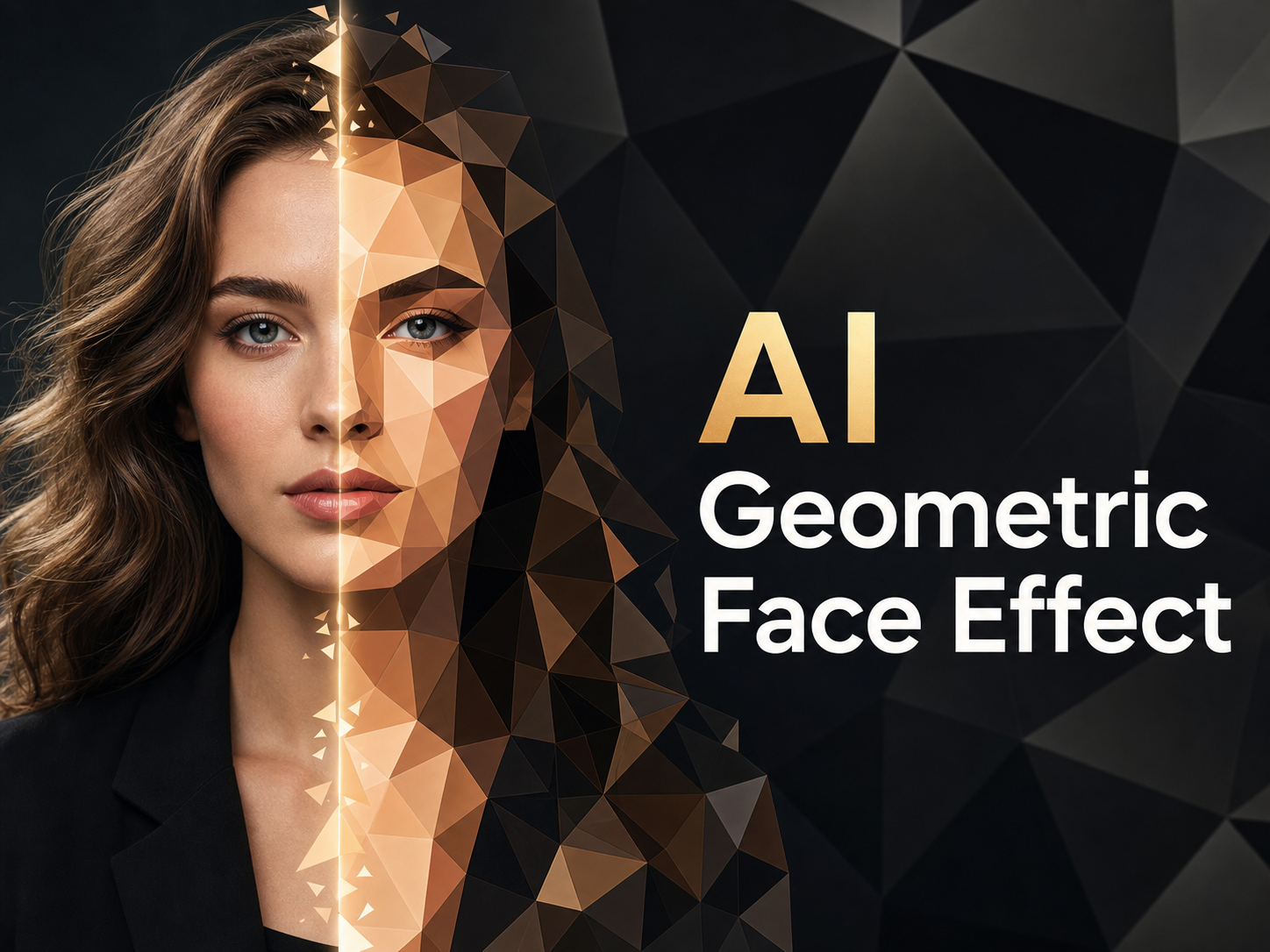
AI Geometric Face Effect for Low Poly Portrait Art
Let AI Geometric Face Effect reshape portraits into angular, faceted artwork.
AI Geometric Face Effect helps creators turn uploaded photos into low-poly portrait art without hand tracing every plane. AI Geometric Face Effect keeps the face, pose, and emotional read connected to the original image while rebuilding the look with crisp polygon shapes, layered shadows, and a graphic editorial finish.
How to Use AI Geometric Face Effect
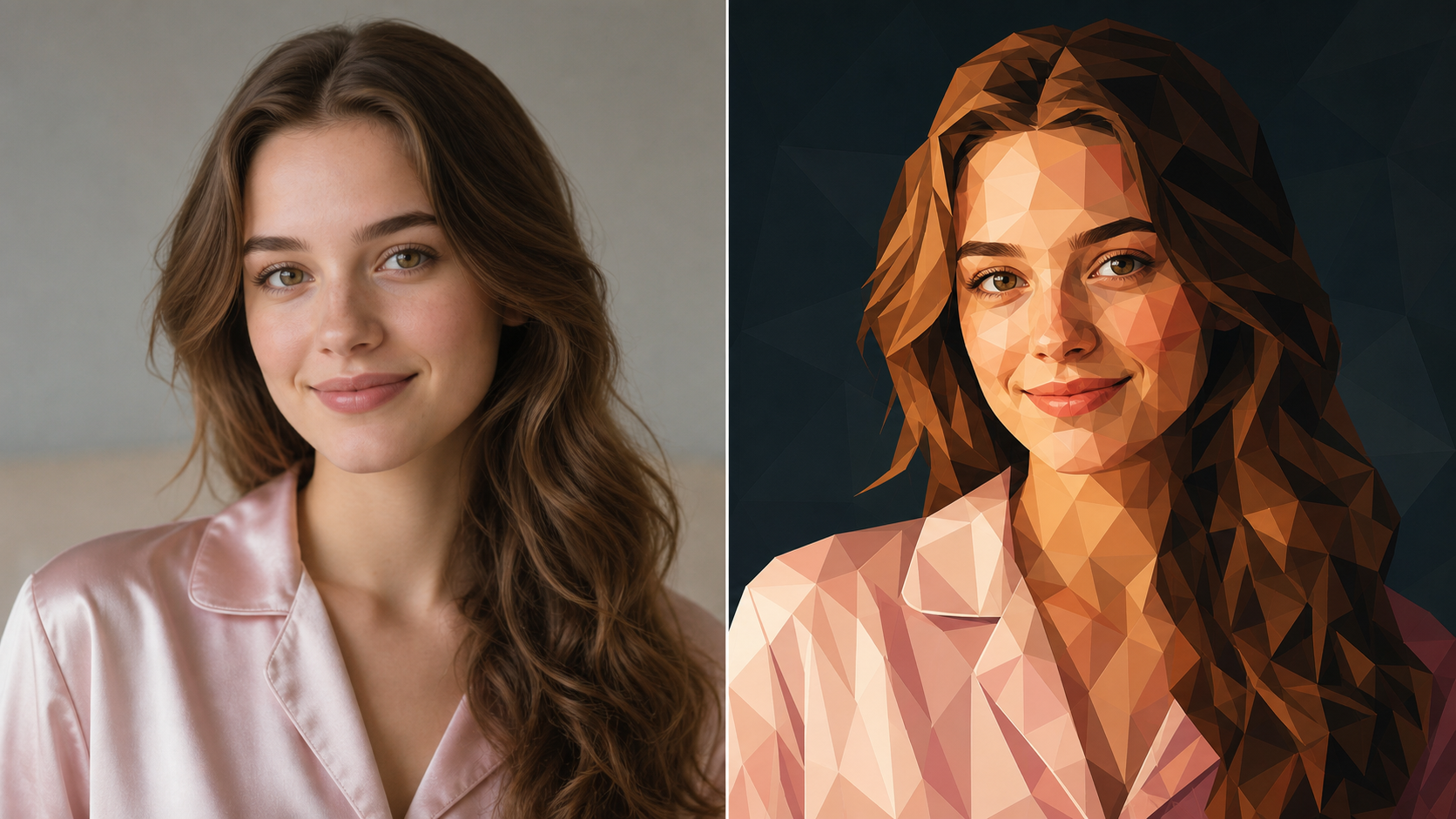
AI Geometric Face Effect keeps the workflow direct: upload a photo, generate the faceted portrait, then review the result. AI Geometric Face Effect focuses on recognizable identity and polished geometric styling. The workflow stays practical for creators and design teams.

Upload Your Portrait
Start with a clear photo that shows the face, hair shape, lighting, and expression. A front-facing selfie, profile portrait, creator headshot, or character reference gives the model enough structure to preserve identity while preparing the image for geometric interpretation.

Generate the Geometric Style
AI Geometric Face Effect analyzes facial planes, highlights, shadows, clothing edges, and background color before applying a faceted low-poly treatment. The AI Geometric Face Effect Generator builds angular regions across the image so the result feels designed rather than randomly fragmented.

Review and Use the Artwork
Compare the original photo with the transformed portrait, then choose the version that fits your avatar, poster, profile image, campaign concept, or creative reference. The effect works best when the source image has readable features and a clear subject.
Best AI Image Tools for Creative Projects
Explore creative tools for image, learn tips and tricks, and see how AI can be your assistant in turning concepts into finished projects.
Features of AI Geometric Face Effect
AI Geometric Face Effect combines source-photo preservation with low-poly transformation. AI Geometric Face Effect helps shape portraits into angular artwork with faceted color, expressive shadows, and geometric structure. Each feature explains what changes, what stays recognizable, and practical use cases.
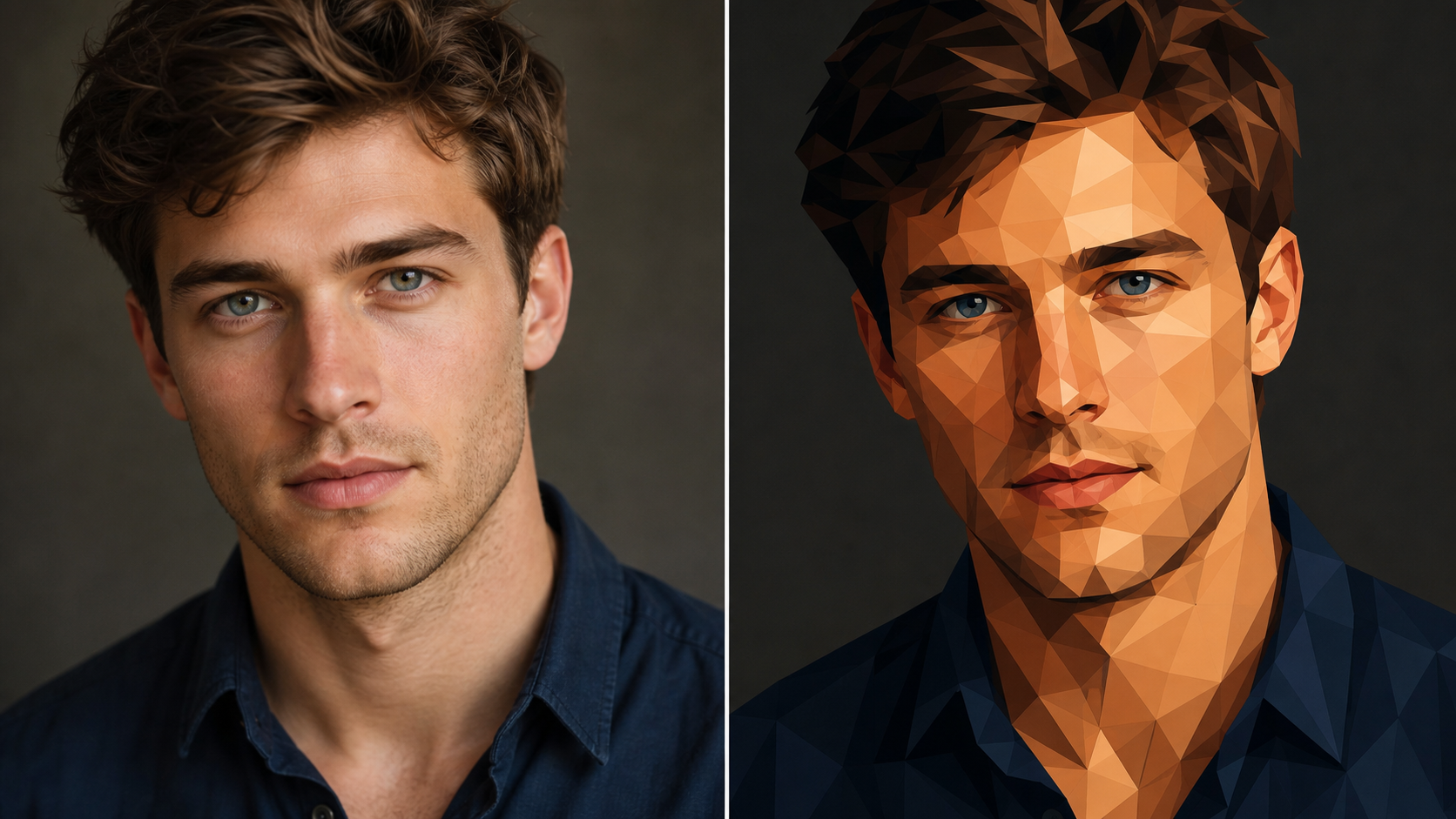
AI Geometric Face Effect for Recognizable Portraits
- AI Geometric Face Effect can transform a selfie, studio headshot, or profile photo into a faceted portrait while keeping the person recognizable.
- The AI Geometric Face Effect Maker should preserve face structure, hairstyle, gaze direction, expression, and clothing silhouette.
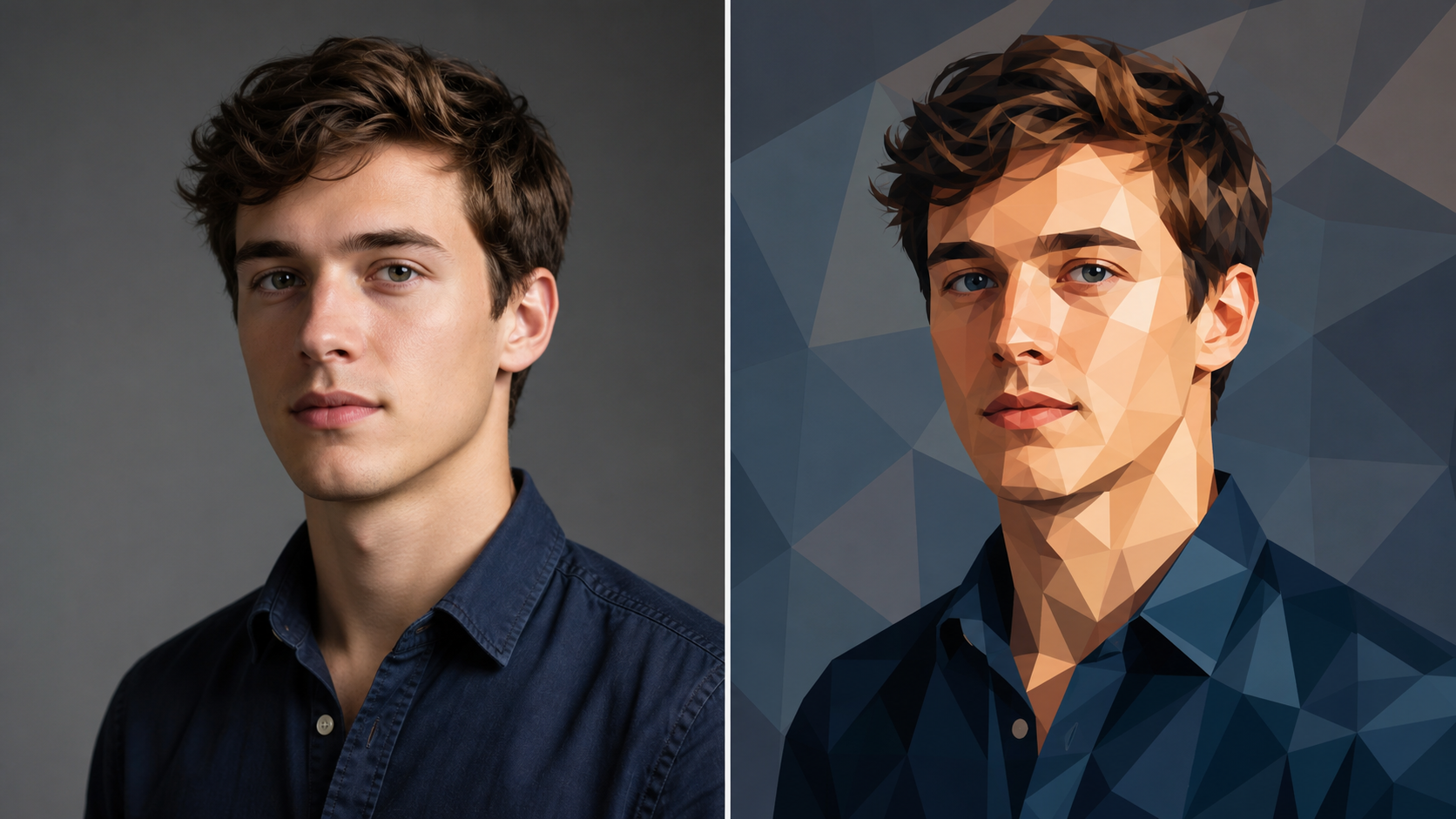
AI Geometric Face Effect Generator for Faceted Color
- AI Geometric Face Effect breaks a portrait into clean triangular and polygonal planes, then uses color contrast to shape the face.
- AI Geometric Face Effect Generator can emphasize cheekbones, jawlines, hair volume, and clothing folds through deliberate facets.
- AI Geometric Image Generator workflows are especially useful when a normal portrait needs a sharper, more editorial visual identity.
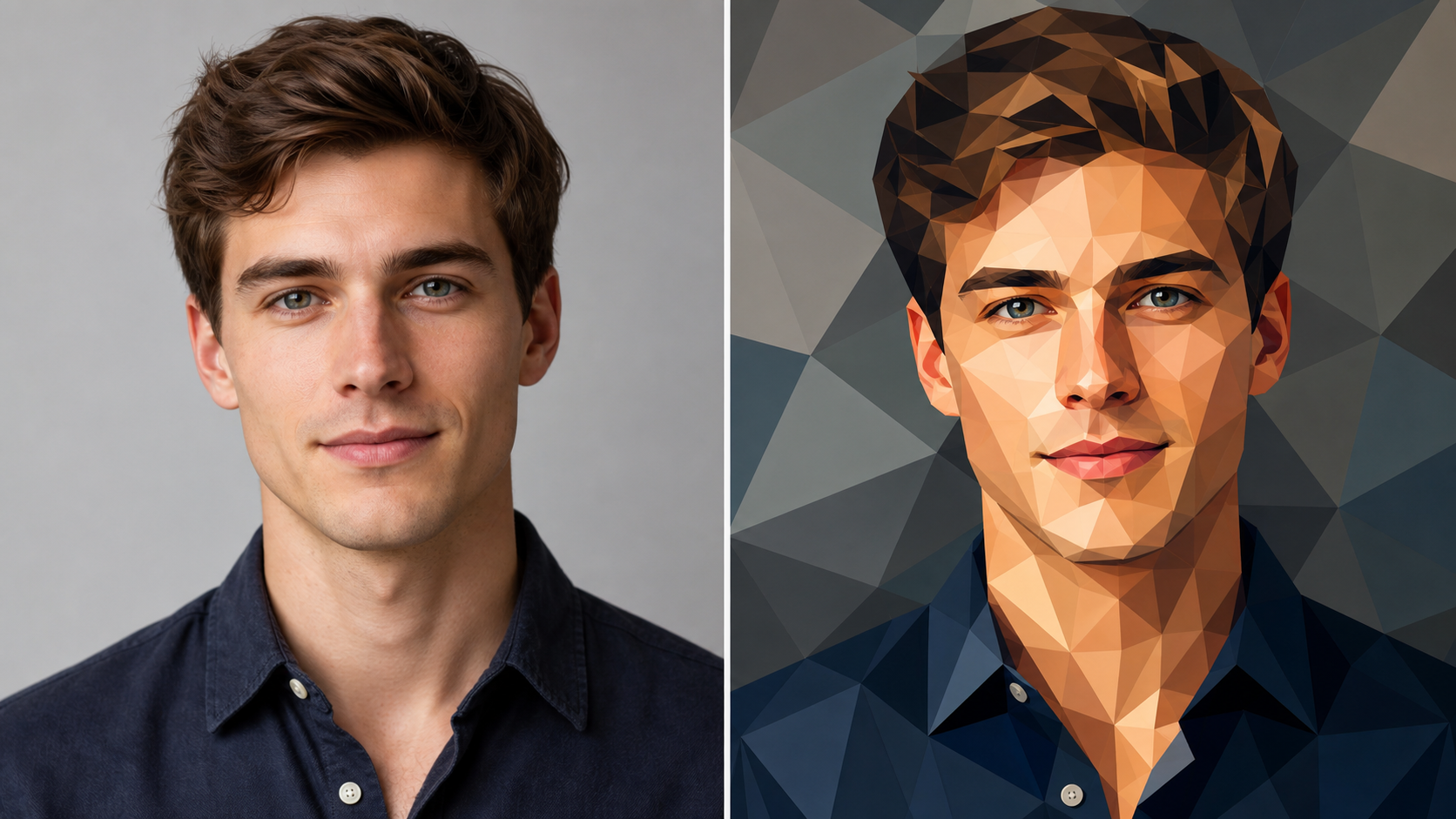
AI Geometric Face Effect for Avatars and Profiles
- AI Geometric Face Effect gives profile images a clean artistic treatment that remains readable at small sizes.
- The AI Geometric Face Effect Maker can simplify background clutter, sharpen the face shape, and introduce a controlled low-poly rhythm.
- Use AI Geometric Face Effect for creator avatars, team portraits, community profiles, presentation bios, and personal branding concepts.
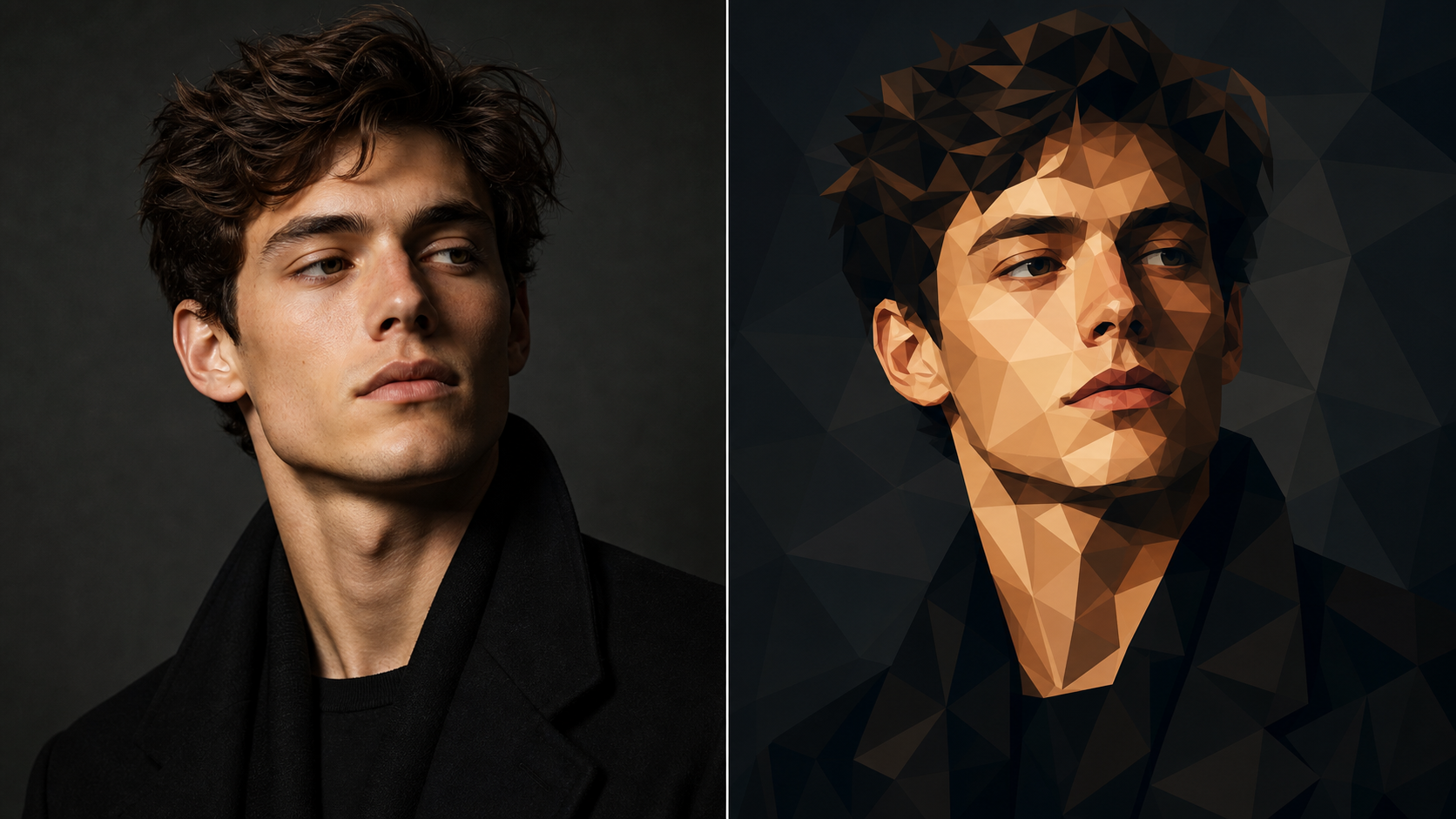
AI Geometric Image Generator for Creative Direction
- AI Geometric Face Effect is useful for art direction when a campaign, poster, playlist cover, or mood board needs a distinctive portrait style.
- An AI Geometric Image Generator can help test color blocking, angular shadow structure, and graphic composition before final layout work begins.
- AI Geometric Face Effect gives teams a visual reference that is fast to compare against the original photo.
Why Choose AI Geometric Face Effect
AI Geometric Face Effect is practical for creators who need portrait edits with a clear geometric identity. AI Geometric Face Effect supports avatars, posters, branding images, editorial concepts, and creative reference work. Examples cover personal, social, and campaign contexts.

Create Distinctive Avatar Art
A profile image has to communicate quickly. AI Geometric Face Effect can turn a standard headshot into an avatar with stronger shape, color, and silhouette. It is useful when a creator page, community account, team bio, or social profile needs a visual identity that feels more crafted than a plain photo.

Make Poster-Ready Portrait Concepts
Posters benefit from bold planes and readable contrast. AI Geometric Face Effect can convert a portrait into a stronger graphic base before typography, layout, or branding is added elsewhere. The AI Geometric Face Effect Maker helps creators explore angular shadows and color blocks without manually rebuilding the image from scratch.

Refresh Personal Branding Images
Personal branding often needs a balance between recognizability and style. AI Geometric Face Effect can keep the subject identifiable while giving the image a more intentional visual language. Use AI Geometric Face Effect for profile refreshes, speaker pages, creator kits, portfolio headers, and professional bios that need a memorable look.

Explore Editorial Portrait Styles
Editorial work often starts with quick visual tests. AI Geometric Face Effect can reshape fashion portraits, music promo shots, author photos, and culture-focused images into faceted art references. The AI Geometric Face Effect Generator is helpful when a team wants to compare several art directions before committing to a final design pass.

Build Cohesive Character Sets
A series feels more deliberate when every image shares the same visual system. AI Geometric Face Effect can help transform multiple portraits into related artwork with consistent plane structure, color weight, and shadow logic. Use AI Geometric Image Generator outputs as references for team pages, cast concepts, or themed portrait collections.

Turn Photos Into Art References
Artists and designers often need fast references before they draw, model, or lay out a final piece. AI Geometric Face Effect can provide a faceted interpretation of a source photo that clarifies planes and value grouping. AI Geometric Face Effect is practical for mood boards, illustration studies, and early creative exploration.
What Users Say About AI Geometric Face Effect
Creators use AI Geometric Face Effect for avatars, campaign tests, editorial concepts, and portrait reference art. AI Geometric Face Effect gives them stylized results without abandoning the uploaded photo. Their comments are written as use-case signals rather than copied claims.
AI Geometric Face Effect helped me turn a set of plain profile photos into a consistent visual system. The portraits still looked like the people in the originals, but the angular facets gave every image a stronger point of view for our campaign mockups.
I used AI Geometric Face Effect for speaker portraits on an event concept. The AI Geometric Face Effect Maker made each headshot feel more designed while preserving expression and posture. It was easier to judge which images could become poster art.
The effect gave our artist bios a recognizable style without making everyone look synthetic. The facial features stayed readable, and the polygon shading added a polished editorial feel. It worked well as a reference before we built the final layout.
The AI Geometric Face Effect Generator is useful during early art direction. I can upload a portrait, test faceted color and shadow ideas, then decide whether the look supports the brand. It saves time before detailed design work begins.
Our team needed creator avatars that felt connected but not identical. AI Geometric Face Effect gave us a clear low-poly style across different photos. The AI Geometric Image Generator direction helped us understand which colors and face angles worked best.
AI Geometric Face Effect made my portrait references more useful for illustration studies. The facets clarified highlight and shadow areas, so I could see the face as larger design shapes. It is a helpful bridge between photo reference and stylized artwork.
FAQs About AI Geometric Face Effect
AI Geometric Face Effect is easiest to use when you understand source-photo quality, identity preservation, and low-poly styling. These answers explain how AI Geometric Face Effect fits portrait workflows. Use them to set expectations before choosing a source photo.
AI Geometric Face Effect is an image editing tool that turns an uploaded portrait into faceted low-poly artwork. It uses the source photo as the foundation, then rebuilds the face, hair, clothing, and background through angular color planes. The goal is to create a geometric portrait that feels graphic and polished while still preserving the subject's identity, expression, pose, and overall composition.
AI Geometric Face Effect usually works best with clear portraits, selfies, headshots, profile photos, character references, and editorial images where the face is easy to read. Balanced lighting, visible eyes, and a clean subject outline help the model preserve identity. Very blurry, crowded, dark, or heavily cropped photos may still transform, but the final geometry can become less controlled. A clean crop gives the transformation more room to read.
The AI Geometric Face Effect Maker is designed for photo-to-art transformation. It should keep important source details such as face shape, hairstyle, expression, clothing silhouette, and camera angle, then change the visual treatment into polygonal planes. The result should look like a designed geometric portrait rather than a new person, random illustration, or unrelated generated face. That balance is important for profile and brand use.
The AI Geometric Face Effect Generator focuses on rebuilding the portrait with angular shapes, simplified shadows, and faceted color blocks. Instead of simply adding a surface texture, it should reinterpret the image structure through visible planes. Cheekbones, hair masses, collars, backgrounds, and lighting gradients can become cleaner geometric regions while the overall portrait remains connected to the upload. This makes the final image feel structured, not merely filtered.
Yes. AI Geometric Face Effect can be useful for avatars, team pages, creator profiles, poster concepts, social graphics, playlist artwork, mood boards, and editorial direction. For layout work, it is often best to generate the portrait first, then add typography or branding in a separate design tool so the face remains visible and the composition stays clean. This keeps the artwork flexible for future use.
For stronger results, use a portrait with readable facial features, enough resolution to show hair and eyes, and lighting that separates the face from the background. Avoid source images where the face is tiny, motion-blurred, hidden by heavy shadows, or blocked by objects. A simpler background can also help the geometric transformation look cleaner. Good source selection matters more than complex prompting.
AI Geometric Face Effect is mainly about changing the visual style of a portrait, not correcting every issue in the source photo. It can make an image feel more graphic, angular, and art-directed, but it should still respect the uploaded composition. If the original photo has a weak crop or unclear face, start with a better source before generating. The stronger the input, the more intentional the style can feel.
Create AI Geometric Face Effect Portraits
Use AI Geometric Face Effect to turn an uploaded portrait into faceted low-poly artwork. AI Geometric Face Effect gives creators a geometric style while keeping the original face recognizable. Start with an image, then compare the result against the original.
