
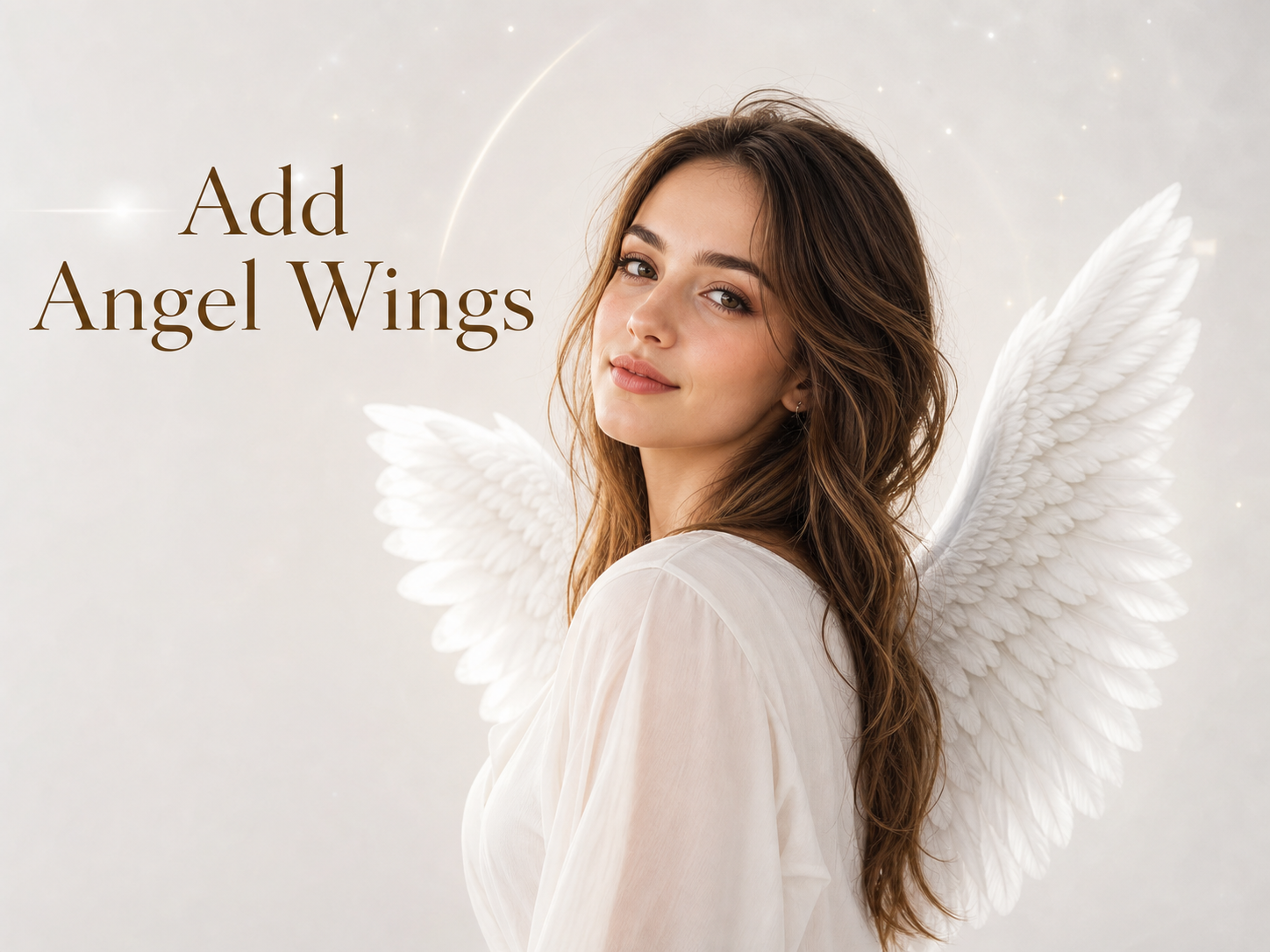
More AI Image Generators
Explore our collection of specialized AI image generators designed for different creative needs and styles
























Add Angel Wings to Photos with AI
Use Add Angel Wings to create soft, believable wings.
Add Angel Wings turns an everyday portrait into a gentle fantasy image while keeping the original person recognizable. Use Add Angel Wings for memorial-style edits, creator portraits, themed invitations, or social visuals where the wings should feel integrated rather than pasted onto the photo.
How to Use Add Angel Wings To Photos
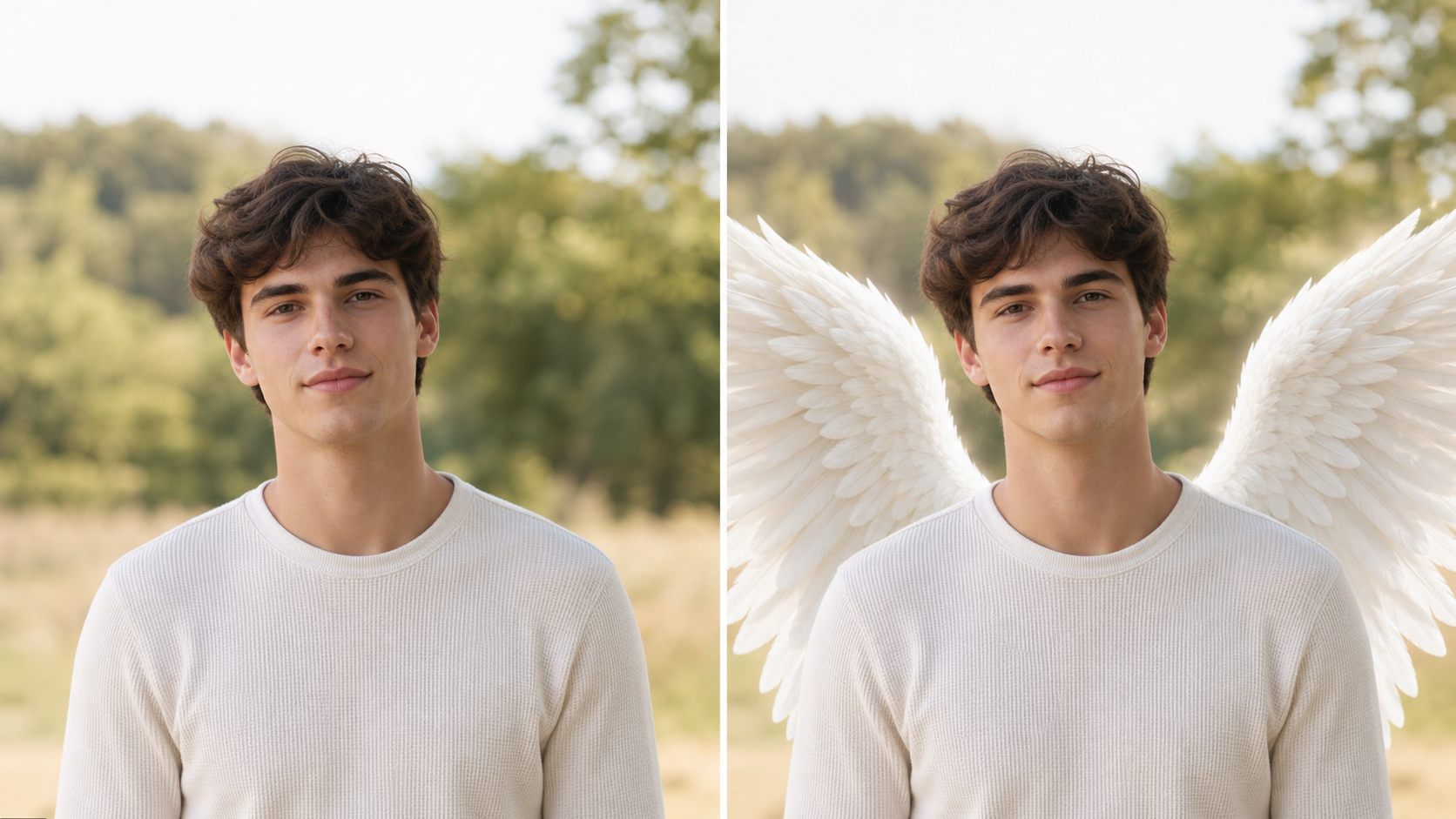
Add Angel Wings to Photos keeps the workflow simple: upload a portrait, apply the wing effect, then review the before-and-after result. Add Angel Wings to Photos focuses on realistic placement, identity preservation, and a polished fantasy finish.

Upload for Add Angel Wings
Start with a clear image where the subject's shoulders, back, and head position are easy to read. Add Angel Wings uses the uploaded photo as the source, so the model can place the wings behind the person without changing identity, expression, clothing, or the main background. Add Angel Wings To Photos works best when the body outline is visible.

Generate the Wing Effect
Choose the Angel Wings Filter and let the model build wings that follow the portrait's lighting and camera angle. Add Angel Wings with AI should preserve the person's face, pose, and wardrobe while adding feathers, glow, and shadow that feel connected to the original scene. Add Angel Wings can be subtle, luminous, dramatic, or soft depending on the image.

Review Your Add Angel Wings Result
Compare the source photo with the transformed version before keeping the final image. Add Angel Wings should make the wings look balanced with the shoulders, not oversized or disconnected. Use Add Angel Wings To Photos for profile pictures, remembrance portraits, fantasy edits, and gentle visual storytelling when a plain image needs a celestial mood.
Best AI Image Tools for Creative Projects
Explore creative tools for image, learn tips and tricks, and see how AI can be your assistant in turning concepts into finished projects.
Features of Add Angel Wings To Photos
Add Angel Wings to Photos is designed for source-photo editing, realistic wing placement, feather detail, and mood-aware blending. The Angel Wings Filter helps a simple portrait become a refined celestial image.
Add Angel Wings with Natural Placement
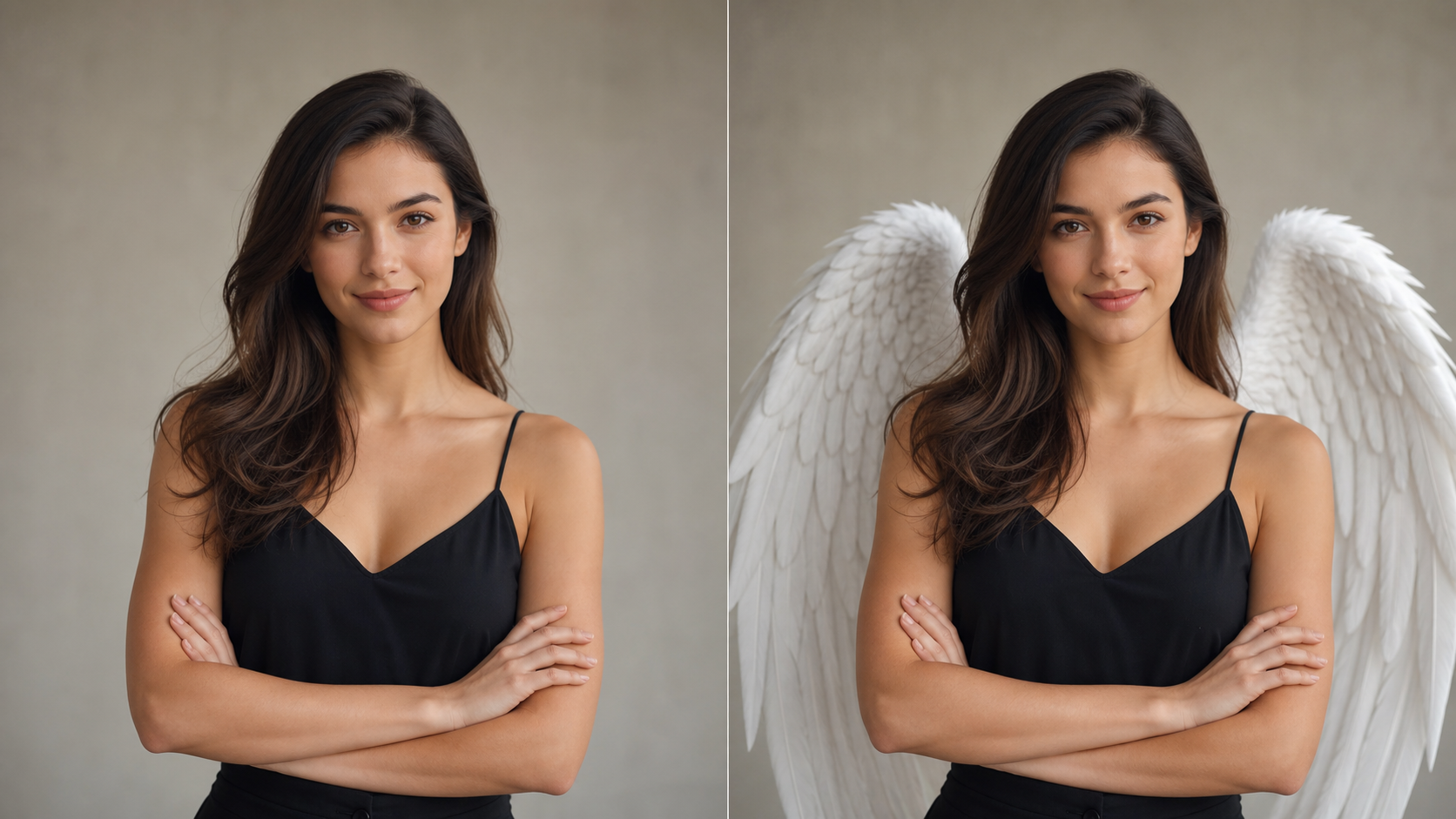
- Add Angel Wings to Photos reads the subject's shoulders, back angle, head position, and visible outline before creating wings.
- The Angel Wings Filter should make feather roots appear behind the person, not across the face or clothing.
- Use Add Angel Wings To Photos when you want a believable portrait edit where the wings match scale, depth, and perspective.
Add Angel Wings with Soft Feather Detail
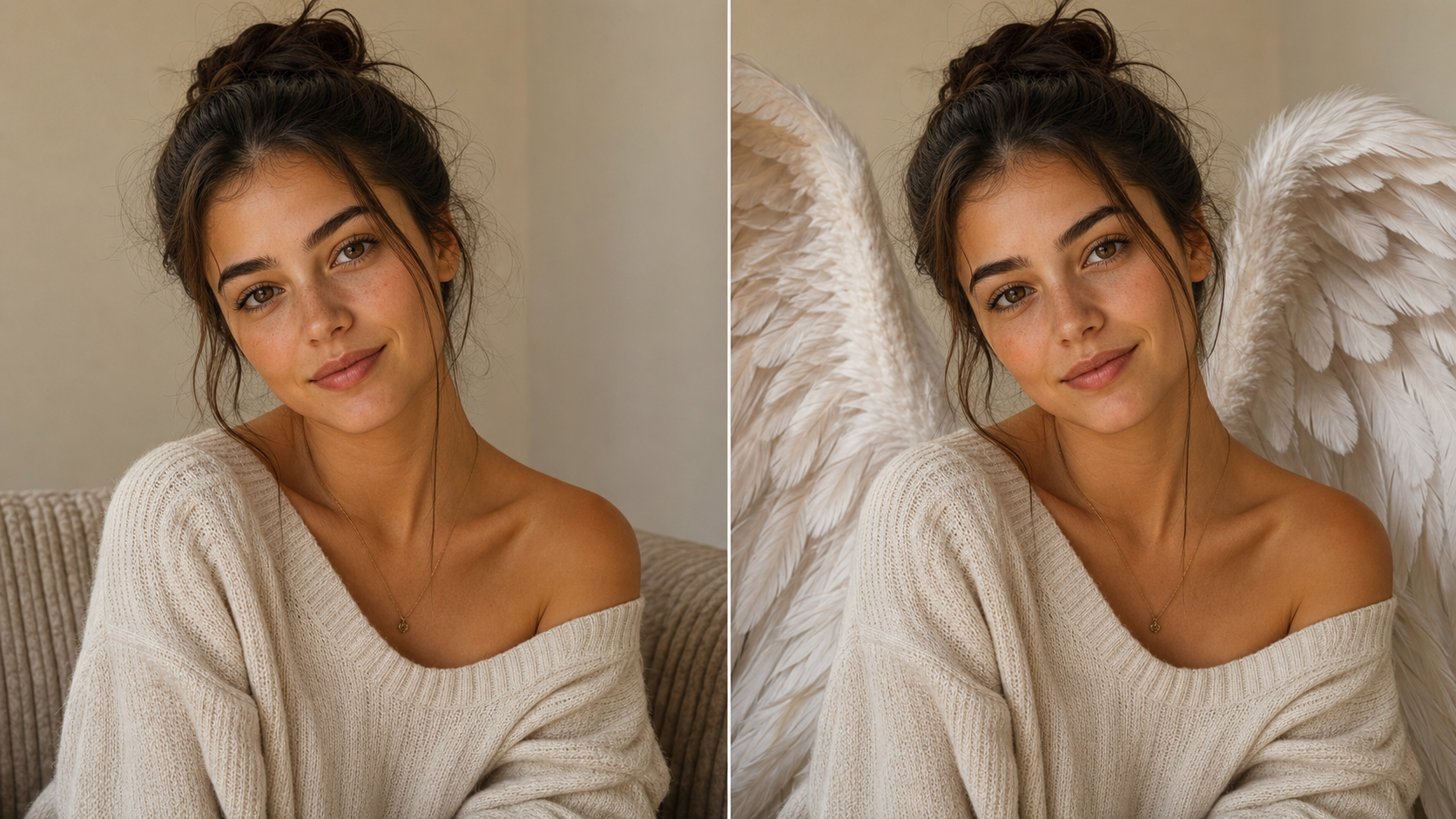
- Add Angel Wings to Photos can create layered feathers, soft edges, and gentle highlights that suit portraits, selfies, and creative shoots.
- AI wing editing should keep skin texture, hair, hands, and clothing stable while adding the new wing form.
- The result should feel finished enough for personal artwork without looking like a flat sticker.
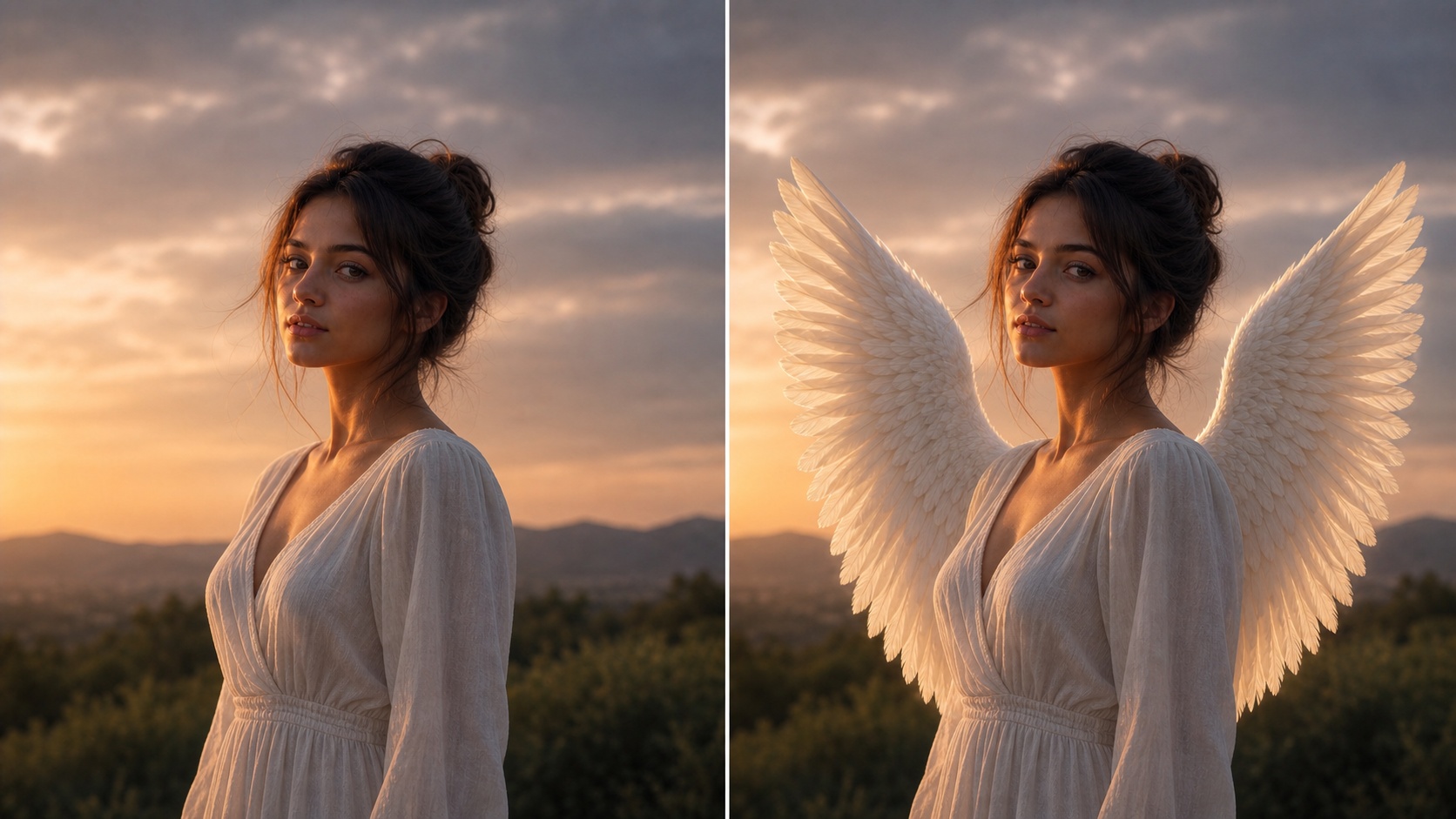
Wing Editing for Mood and Lighting
- The Angel Wings Filter should adapt to warm sunset photos, indoor portraits, studio lighting, or soft outdoor scenes.
- Add Angel Wings to Photos can introduce a gentle glow, but it should respect the existing shadows and color temperature.
- Use Add Angel Wings with AI when the goal is a cohesive fantasy portrait rather than a separate decoration placed on top.
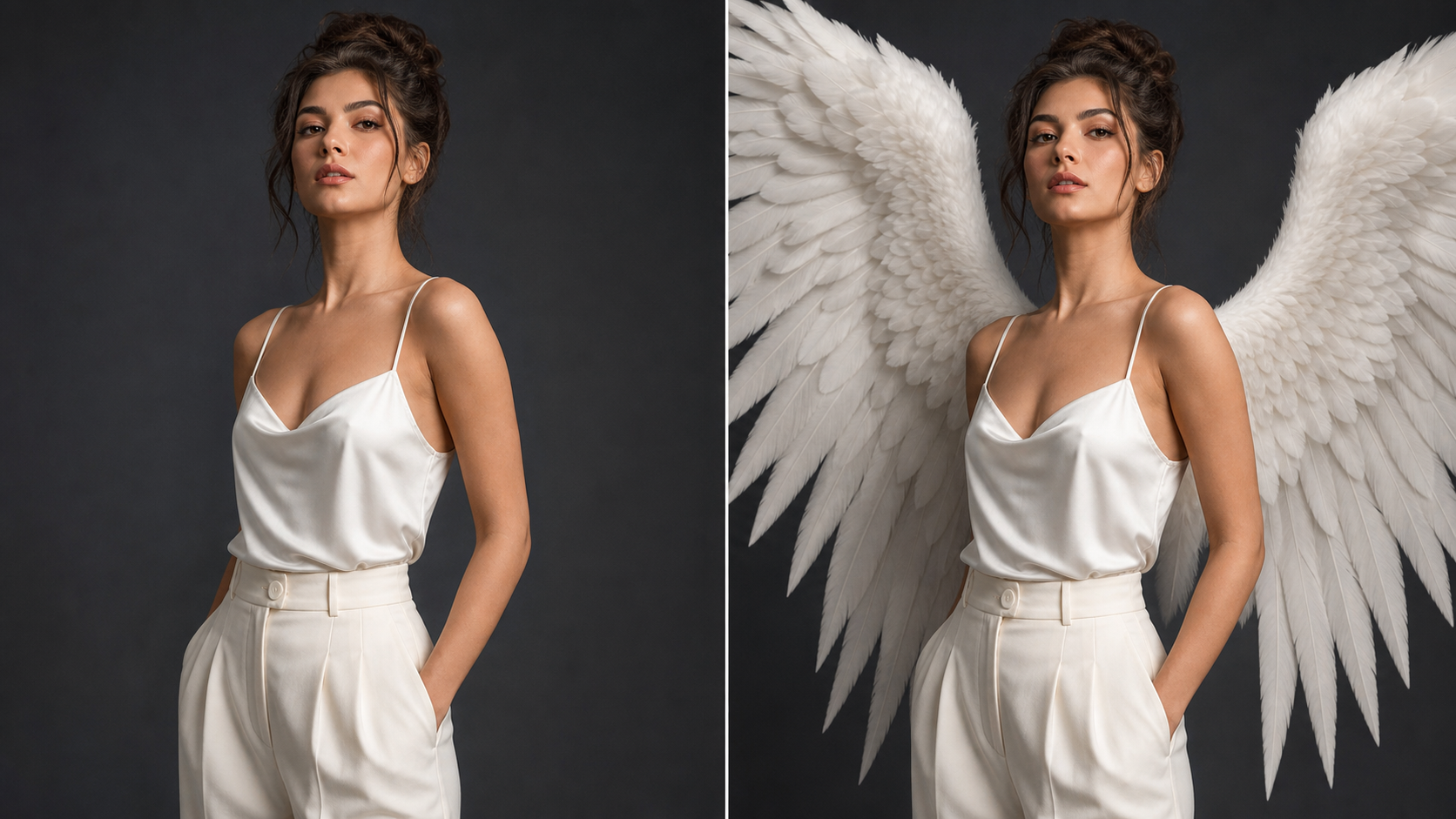
Add Angel Wings To Photos for Creative Stories
- Add Angel Wings To Photos helps creators turn portraits into emotional, symbolic, or fantasy-inspired visuals without rebuilding the whole image.
- Add Angel Wings to Photos can support family keepsakes, themed announcements, cosplay references, book covers, and social posts.
- The edit starts from the uploaded photo, so the final piece can keep the original person and moment intact.
Why Choose Add Angel Wings
Add Angel Wings to Photos is useful when a portrait needs a celestial transformation without losing the original person. The Angel Wings Filter emphasizes believable placement, emotional tone, and flexible creative use cases.

Create Celestial Social Portraits
Add Angel Wings to Photos gives creators a direct way to turn a strong selfie or portrait into a more expressive visual. Use the wing effect when you want a profile image, story post, or creator banner to feel gentle, symbolic, and memorable while still looking like the original person.

Design Emotional Keepsake Images
Some photos carry meaning beyond everyday editing. Add Angel Wings to Photos can help shape a remembrance-style portrait, a family tribute, or a personal keepsake with a peaceful tone. The goal is not to replace the original memory, but to create a respectful alternate image with soft wings and a calm mood.

Plan Fantasy and Cosplay Concepts
Costume ideas are easier to judge when the wings are shown on the actual pose. Add Angel Wings to Photos lets artists, stylists, and cosplayers test scale, silhouette, and feather direction before a shoot or illustration. Add Angel Wings with AI can turn one reference photo into a clearer celestial character direction.

Make Invitation and Event Visuals
For themed birthdays, announcements, performances, or seasonal projects, Add Angel Wings to Photos can give portraits a visual motif without requiring a full design setup. Add Angel Wings To Photos works especially well when the subject already has a clean pose and the background leaves enough space for wings.

Build Book, Music, and Poster Concepts
A single portrait can become the starting point for cover art, playlist imagery, or mood-board exploration. AI wing editing helps test a sacred, romantic, or fantasy direction while keeping the person, outfit, and core composition stable. The result can guide later design, retouching, or layout work.

Refresh Existing Portraits Creatively
When the expression and lighting already work, a full reshoot may not be necessary for a new creative angle. Add Angel Wings to Photos can reinterpret an existing photo with feathers, depth, and glow while preserving the main portrait. The Angel Wings Filter is useful when the source image needs atmosphere rather than replacement.
What Users Say About Add Angel Wings
Creators use Add Angel Wings to Photos for portraits, keepsakes, cosplay references, event visuals, and atmospheric content. Add Angel Wings to Photos helps them explore a celestial look while preserving the source photo.
I used Add Angel Wings to Photos for a portrait series built around soft fantasy styling. The wings followed the shoulder angle better than manual overlays I had tried, and the person still looked like themselves. Add Angel Wings to Photos gave me a strong starting point for the final retouch.
The Angel Wings Filter helped me make a gentle keepsake image for a family project. I wanted something symbolic, not flashy, and Add Angel Wings to Photos kept the face and expression close to the original photo. The before-and-after view made it easy to choose the softer version.
For cosplay planning, Add Angel Wings with AI was useful because I could see wing size on the actual pose. It helped me decide whether the wings should be narrow, open, or more dramatic. The edit gave our team a visual reference before building physical pieces.
I needed Add Angel Wings To Photos for a small announcement design and did not want the result to look like clip art. The wings blended with the lighting and stayed behind the subject. It saved me from rough masking while still leaving room for final layout work.
Add Angel Wings to Photos became part of my mood-board process for a music cover concept. I could test a celestial direction quickly from the artist's portrait and decide whether it matched the tone. The Angel Wings Filter made the image feel atmospheric without changing the subject.
I tried Add Angel Wings To Photos for social content because I wanted something more personal than a generic fantasy image. Starting from my own portrait made the final result feel connected to the original moment. Add Angel Wings with AI gave it softness without making it look over-edited.
FAQs About Add Angel Wings To Photos
These answers explain how Add Angel Wings to Photos works, what photos fit the Angel Wings Filter, and how to use Add Angel Wings To Photos for realistic celestial edits.
Add Angel Wings to Photos is an AI photo editing workflow that starts from an uploaded image and adds wings to the person in the scene. It should preserve identity, facial expression, pose, clothing, and the main background while generating feathered wings that match the portrait. Add Angel Wings to Photos is best understood as a source-photo transformation, not a blank text-to-image generator. This keeps the edit grounded in the uploaded photo.
The Angel Wings Filter analyzes the uploaded portrait, finds a believable area behind the subject, and creates wings that fit the body angle and lighting. The edit should add feather structure, shadow, and glow while keeping the person stable. A strong Angel Wings Filter result makes the wings feel like part of the photo instead of a pasted sticker. The cleaner the outline, the more coherent the placement can be.
Add Angel Wings To Photos works best with clear portraits where the subject's upper body, shoulders, and head shape are visible. Simple backgrounds often give the wings more room, but the photo does not need to be perfect. Avoid heavily cropped images, blocked shoulders, extreme motion blur, or poses where the model cannot infer where the wings should attach. Photos with open space around the subject usually give the model more room.
Yes. Add Angel Wings with AI can support selfies, studio portraits, outdoor photos, cosplay references, and themed creative images when the subject is visible. It is especially useful when you want a fantasy result based on a real person. For group photos, results may vary because multiple bodies can make wing placement and scale harder to judge. Clear lighting and a simple silhouette usually help the most.
Add Angel Wings to Photos should preserve the person's identity, face, expression, hair, pose, outfit, camera angle, and overall composition. The transformation should focus on adding wings and related light or shadow. If the output changes the face too much, try another source image with clearer facial detail and cleaner space around the shoulders. Keeping those details stable makes the added wings feel intentional rather than disruptive.
Add Angel Wings to Photos can produce a range of moods, from soft and peaceful to dramatic and fantasy-inspired. The source photo guides much of that style because lighting, background, and pose influence how the wings should blend. If you want a gentler look, choose a calm portrait with balanced light; for drama, start with stronger shadows or a more expressive pose. This helps the result feel guided by the source instead of generic.
The Angel Wings Filter is often easier than manually placing wing graphics because the model can account for perspective, body angle, and lighting. Manual overlays still give direct control, but they can look flat when scale or shadows are off. Use the Angel Wings Filter when you want the edit to feel integrated with the existing photo. That balance is difficult to judge by eye alone.
Add Angel Wings To Photos can be used for social portraits, tribute images, themed announcements, fantasy references, poster concepts, and personal creative projects. The best use case is any image where the original person matters and the wings need to support the mood. Add Angel Wings with AI helps explore that direction without rebuilding the entire photo. It also helps compare several visual directions from one source.
Create a Celestial Portrait
Upload a portrait and use Add Angel Wings to Photos to generate feathered wings that fit the person, pose, and lighting. Add Angel Wings with AI helps turn a familiar photo into a polished celestial image.
